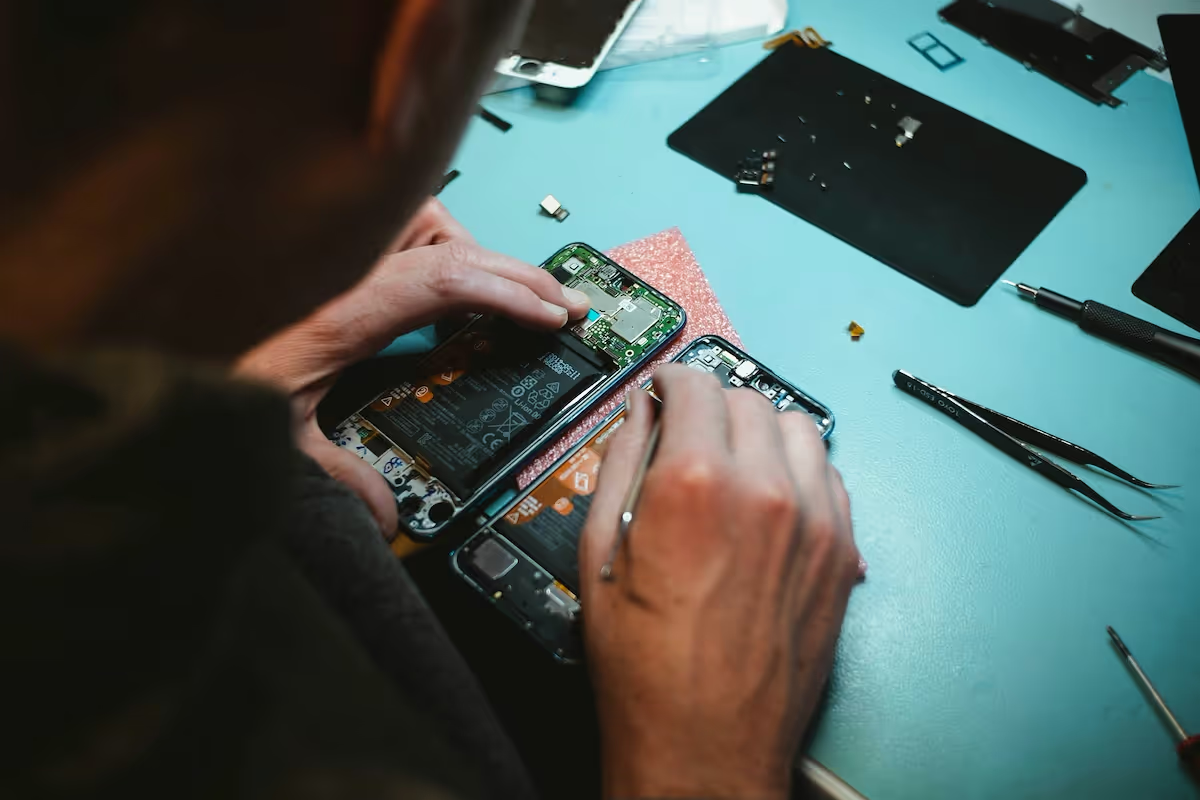
Starting a phone repair business is an exciting venture that combines technical repair skills with sharp business acumen. The industry is worth billions of dollars, with steady demand for screen replacements and battery swaps from students, professionals, and families alike.
This guide will take you through the practical steps of validating your business concept, obtaining necessary licenses, acquiring equipment, and building supplier relationships to help you launch a successful phone repair business in the U.S.
Step 1: Plan and validate your business idea
First, define your target market. Are you serving college students, busy professionals, or families? Visit high-traffic areas like malls or business districts to survey at least 50 people about their phone repair needs and what they would pay for service.
Analyze your local competition
Use Google Maps and Yelp to list all phone repair shops within a 10-mile radius. Study their websites and customer reviews. Note their prices, turnaround times, and any specialized services they offer, like water damage repair. This helps you find a gap in the market.
Estimate your startup costs
A realistic budget is key. Many new owners misjudge initial inventory needs. While it's tempting to cut corners with cheaper parts, low-quality components often result in warranty claims and damage your reputation. Plan for high-grade parts from the beginning.
- Tools and Equipment: $2,000 - $4,000
- Initial Parts Inventory: $3,000 - $7,000
- Business Licenses and Fees: $300 - $800
- Total Estimated Startup Cost: $5,300 - $11,800
Here are 3 immediate steps to take:
- Define your target customer and survey their specific repair needs.
- Map out 5-10 local competitors and document their pricing and services.
- Draft a detailed startup budget that includes costs for high-quality parts.
Step 2: Set up your legal structure and get licensed
You might want to consider forming a Limited Liability Company (LLC). Many new owners operate as a sole proprietorship, but this leaves your personal assets unprotected if the business is sued. An LLC separates your personal and business liabilities.
Secure federal, state, and local permits
First, get a free Employer Identification Number (EIN) from the IRS website. You need this to open a business bank account. Next, apply for a seller's permit from your state's department of revenue. This allows you to collect sales tax on parts and services.
Your city or county clerk’s office will issue a general business operating license. These permits can cost between $50 and $400 combined. Expect processing times of one to four weeks, so it is a good idea to apply early.
Here are 3 immediate steps to take:
- File for an LLC with your state's Secretary of State office.
- Apply for a no-cost EIN directly from the IRS.
- Contact your state and city offices to apply for a seller's permit and business license.
Step 3: Protect your business with the right insurance
Secure your work and reputation
Accidents can happen, even to the best technicians. If you damage a customer's device during a repair, professional liability insurance covers the replacement or repair costs. This is often called Errors and Omissions (E&O) coverage.
Expect to pay between $500 and $1,200 annually for a policy with about $500,000 in coverage. Without it, a single mistake on a high-end smartphone could put you out of business before you even get started.
You will also want to consider other policies. General liability protects against customer injuries in your shop, while commercial property insurance covers your tools and parts from theft or fire. Annual premiums for these can range from $400 to $1,500 combined.
When you shop for policies, look at providers that understand small businesses. You might want to get quotes from companies like Hiscox, The Hartford, or Thimble, as they often have packages tailored for repair professionals.
Here are 3 immediate steps to take:
- Request quotes for professional liability (E&O) insurance with at least $500,000 in coverage.
- Calculate the total value of your tools and inventory to get an accurate commercial property quote.
- Compare insurance packages from small business specialists like Hiscox or The Hartford.
Step 4: Find your location and buy equipment
Choose your physical space
Look for a small commercial space, around 200-500 square feet, in an area with good foot traffic. Before you sign anything, confirm with your local planning department that the property has the correct commercial zoning for a retail or service business.
When you negotiate a lease, you might ask for a shorter initial term, like one or two years. This gives you more flexibility than a standard five-year lease as your business grows. A landlord may also offer a tenant improvement allowance to help cover build-out costs.
Acquire your repair equipment and parts
With your location sorted, you can focus on equipment. An investment in quality gear prevents damage to customer devices. A cheap tool can easily turn a simple screen repair into a much larger problem, so it is wise to budget for reliable equipment from day one.
Here are some items for your initial setup:
- Soldering Station: $150 - $400
- Digital Microscope: $200 - $500
- Screen Separator Machine: $100 - $300
- Precision Screwdriver Set: $50 - $150
For parts, you can open accounts with suppliers like MobileSentrix or Injured Gadgets. Most do not require large minimum orders, so you can purchase inventory as you need it. This helps manage your cash flow when you first start.
Here are 3 immediate steps to take:
- Identify 2-3 potential commercial locations and verify their zoning classification.
- Price out a complete repair toolkit from reputable equipment vendors.
- Register for accounts with at least two different parts suppliers to compare pricing.
Step 5: Set up your payment processing
Most customers will expect to pay with debit, credit, or digital wallets. You might want to require a deposit for special-order parts to cover your costs upfront. This protects you if a customer does not return to complete the repair.
When you choose a payment processor, pay close attention to transaction fees. Many new owners overlook these costs, which can eat into profits. Average commission rates often range from 2.5% to 3.5%, so finding a lower rate makes a real difference.
For a phone repair business that needs to accept payments on-site or on-the-go, JIM offers a streamlined solution. With JIM, you can accept debit, credit and digital wallets directly through your smartphone - just tap and done. It is a great fit for mobile repair services.
At just 1.99% per transaction with no hidden costs or extra hardware needed, it's particularly useful for managing cash flow. This rate is competitive, as many other providers charge more.
- Get Started - Download the JIM app for iOS.
- Make a Sale - Type the sales amount, hit sell, and ask your customer to tap their card or device on your phone.
- Access Funds - Your money is available right on your JIM card as soon as the sale is done - no waiting for bank transfers.
Here are 3 immediate steps to take:
- Compare transaction fees from different payment processors.
- Establish a clear policy for customer deposits on parts.
- Download and set up a payment solution to start accepting cards.
Step 6: Secure funding and manage your finances
You might want to look into an SBA Microloan. The Small Business Administration offers these loans of up to $50,000 through local nonprofit lenders. Interest rates typically fall between 8% and 13%, and they are a solid option for new businesses without a long credit history.
Plan your working capital
Many new owners find their initial cash runs out faster than expected. To avoid this, plan for at least $6,000 to $12,000 in working capital. This covers your first six months of rent, utilities, and slow-moving inventory before sales pick up.
Another option is equipment financing. Instead of a large upfront purchase, you can finance your repair tools through lenders like Ascentium Capital. This approach frees up your cash for other immediate expenses like marketing or unexpected repairs.
From day one, use accounting software to track every dollar. A program like Wave or QuickBooks Online helps you monitor your cash flow, categorize expenses, and simplify tax preparation. This habit will save you significant time and prevent financial confusion later.
Here are 3 immediate steps to take:
- Find an SBA-approved microlender in your state.
- Calculate your working capital needs for the first six months.
- Set up an account with accounting software like Wave or QuickBooks.
Step 7: Hire your team and set up operations
Build your technical team
Your first hire will likely be a Phone Repair Technician. This role handles diagnostics, screen and battery replacements, and customer updates. Expect an annual salary between $35,000 and $52,000, depending on experience. Look for candidates with a WISE certification, as it shows they meet industry standards.
Many owners make the mistake of hiring based on a resume alone. You should include a hands-on skills test in your interview process. Have applicants perform a common repair on a test device to verify their technical abilities before you make an offer.
Streamline your daily workflow
Once you have a technician, you need a system to manage jobs. Repair shop management software like RepairDesk or RepairShopr helps you track tickets, manage parts inventory, and communicate with customers. This keeps your operations organized from the start.
As you grow, a good benchmark is to keep labor costs between 20% and 35% of revenue. This ratio helps you decide when it is financially sound to bring on another technician. It prevents you from overstaffing before your sales can support it.
Here are 3 immediate steps to take:
- Draft a job description for a Phone Repair Technician that includes a practical skills test.
- Research repair shop management software like RepairDesk and RepairShopr.
- Review the requirements for the WISE certification to set a hiring benchmark.
Step 8: Market your business and get customers
Your first marketing move should be to claim and optimize your free Google Business Profile. Fill out every section with your services, hours, and high-quality photos. Encourage your first few customers to leave reviews, as this directly impacts your local search ranking.
Run targeted local ads
Once your profile is active, you can explore paid advertising. You might want to start with Google Local Services Ads, which puts you in front of people actively searching for repairs in your area. A starting budget of $15-$25 per day is often enough to generate initial leads.
A mistake some new owners make is ignoring their Customer Acquisition Cost (CAC). Aim for a CAC between $25 and $40 per customer. If your ad spend results in a higher cost, you may need to adjust your ad copy or targeting.
Build local partnerships
You can also create a referral program with nearby businesses. Approach local coffee shops, university bookstores, or corporate offices and offer a 10% referral fee for every customer they send your way. This builds a steady stream of word-of-mouth business with minimal upfront cost.
Here are 3 immediate steps to take:
- Create and fully optimize your Google Business Profile with photos and service details.
- Set up a Google Local Services Ad campaign with a daily budget of $20.
- Draft a simple referral agreement to present to three potential partner businesses.
Step 9: Set your pricing strategy
Most shops use a flat-rate model, which bundles parts and labor into one price. For example, you might charge $129 for an iPhone 12 screen replacement. This approach is straightforward for customers and simplifies transactions.
Calculate your costs and margins
To set your rates, start with a 100% to 300% markup on parts. If a replacement screen costs you $40, the part component of your price would be $80 to $160. Some owners forget to value their own work. You should add a labor fee on top of the part cost.
A standard labor rate for a skilled technician is between $60 and $100 per hour. For a 30-minute repair, this means adding a $30 to $50 labor charge. This ensures you are paid for your expertise, not just the components.
Analyze competitor pricing
With your cost basis figured out, research your local market. Call five local competitors and ask for a quote on a common job, like a Samsung battery replacement. You do not need to be the cheapest option, just in the same ballpark.
Here are 3 immediate steps to take:
- Calculate the landed cost for your five most common repair parts.
- Call three local competitors to get quotes for an iPhone screen replacement.
- Create a price list for your top 10 services using a parts-plus-labor model.
Step 10: Establish quality control and plan for growth
Your reputation depends on consistent, high-quality work. You can create a post-repair checklist to standardize your service. Before a device is returned, a technician should test the screen responsiveness, camera, speakers, and charging port to confirm full functionality.
Set benchmarks for scaling
Track your warranty claim rate and aim to keep it under 5%. A higher rate suggests issues with parts or repair quality. You might also send a one-question satisfaction survey after each job to monitor customer feedback directly.
Once a technician consistently handles over 8-10 repairs per day, it is time to consider hiring another. A mistake some owners make is expanding without documented procedures. Before you hire, write down your repair process so every job follows the same quality steps.
When your annual revenue approaches the $150,000 to $200,000 range, you can start to explore a second location. Software like RepairDesk can help manage inventory and job tickets across multiple shops as you grow.
Here are 3 immediate steps to take:
- Create a post-repair quality checklist for technicians to use on every device.
- Set a target warranty claim rate of less than 5% to measure repair quality.
- Define your repair volume trigger for hiring a second technician.
Conclusion
You have a solid plan for your phone repair business. Remember, your reputation is built on the quality of your parts and the trust you earn with each repair. One happy customer often leads to many more. Now you have the steps, go make it happen.
And when you make that first sale, payment should be simple. JIM lets you accept cards right on your smartphone with no extra hardware, all for a flat 1.99% fee. Your money is available instantly. Download JIM and you are ready to go.
.avif)