Your phone is your POS
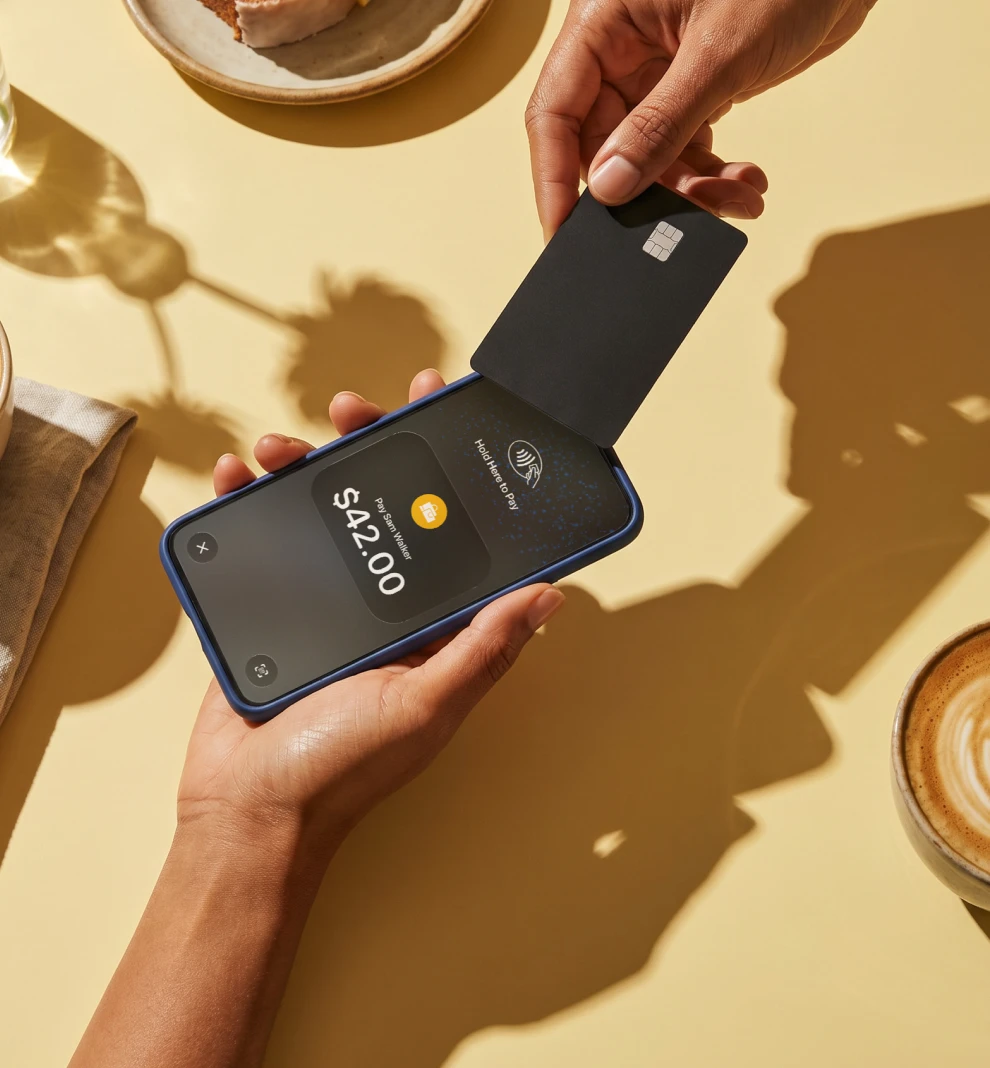
Accept contactless card payments using just your phone and get paid in seconds. No extra hardware, no hidden costs.

No monthly fees · No extra hardware · No hidden costs
Accept payments from all major cards and digital wallets


1.99% per sale
Sell $2 or $2,000 – you always pay the same fee
Get paid in seconds
Your money is available in seconds after the sale is done
No monthly fees
Only 1.99% per sale. No subscriptions or setup fees.
Simple and secure
It works like a card reader – powered by NFC
Payments made simple. For you and your customers.
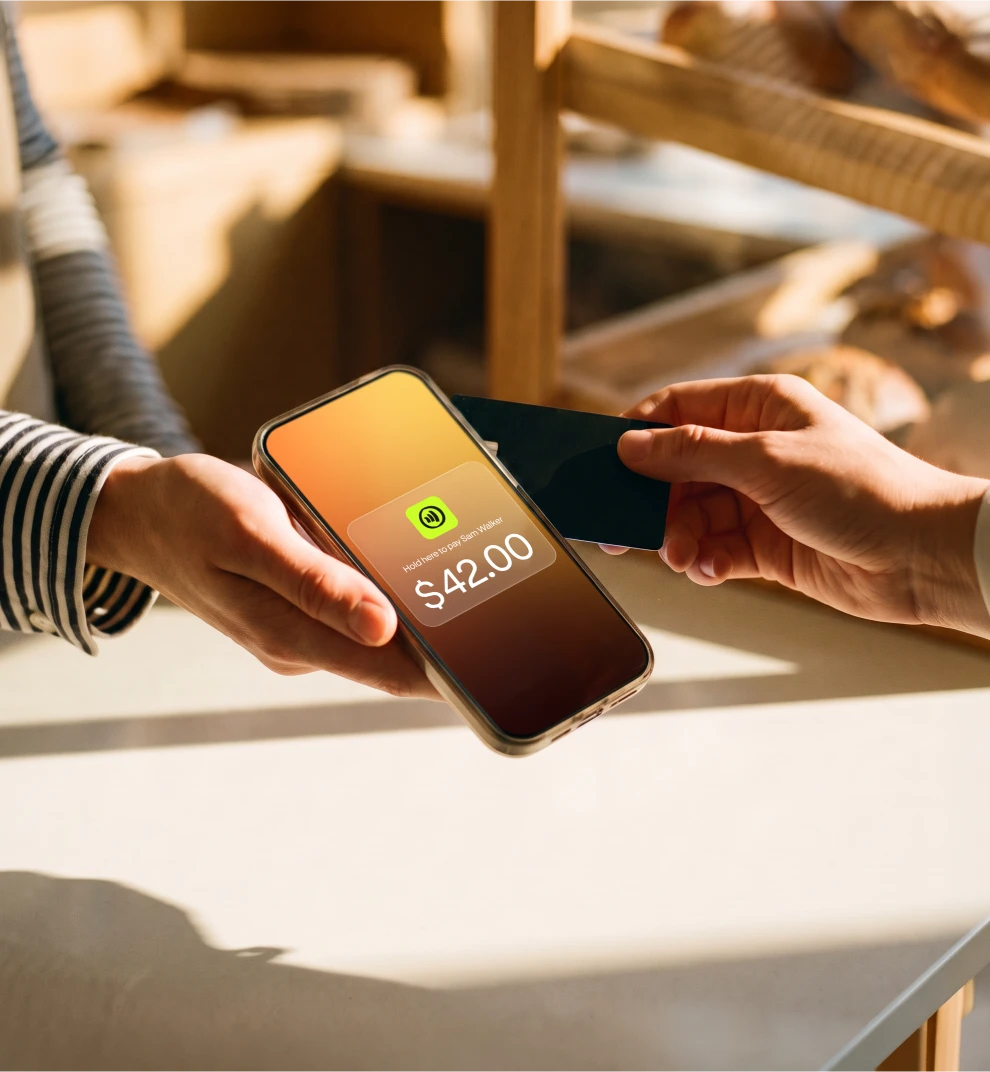
Your client taps, you get the money. It's that fast.
With Jim, you sell and get paid in seconds.
Let your customers decide how they want to pay: debit, credit, Apple Pay or any digital wallet. Jim's got you covered.
With Jim, you sell and get paid in seconds.
Let your customers decide how they want to pay: debit, credit, Apple Pay or any digital wallet. Jim's got you covered.
Pastry Box

+
$
$0.83 (1.99% fee)
One tap and done: you just got paid
One tap and done: you just got paid
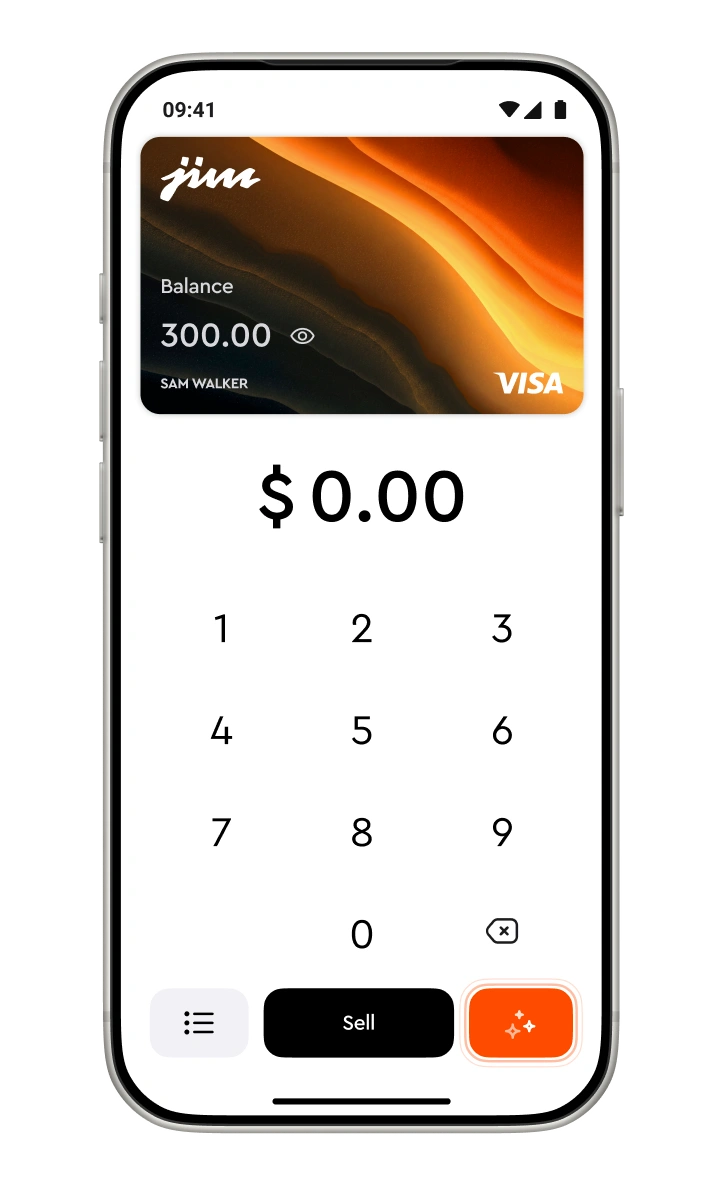
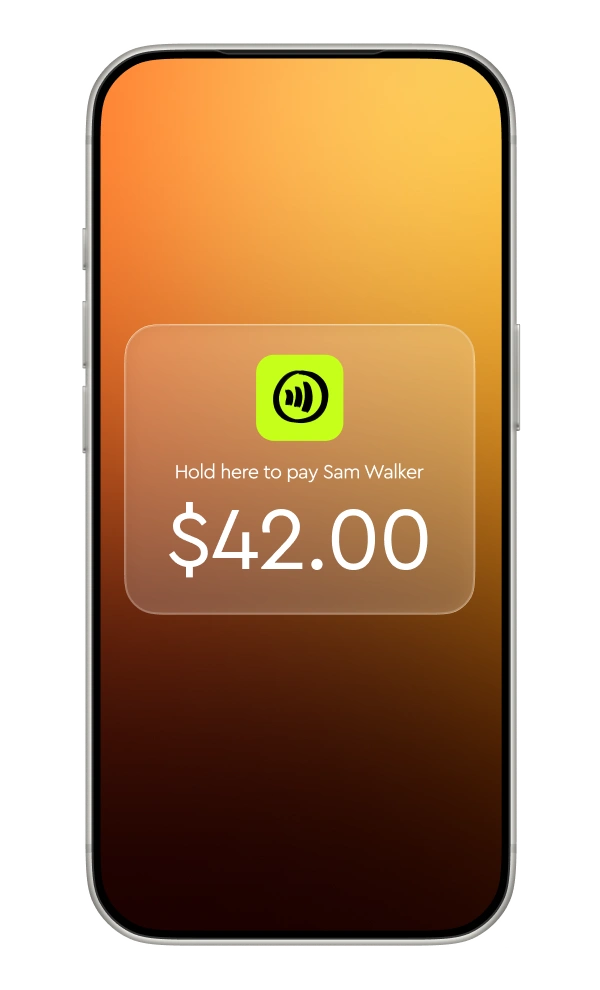
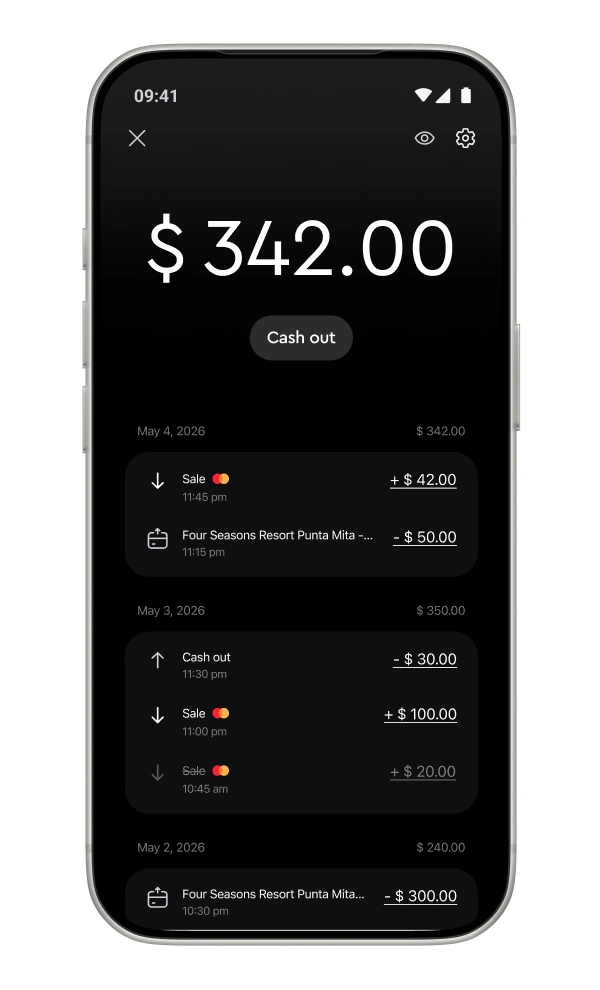
Enter the sale amount
Open the JIM App, type in the amount and add a tip if you want to.
Tap to sell
Hit sell and ask your customer to tap their card or device on your phone.
Get your money
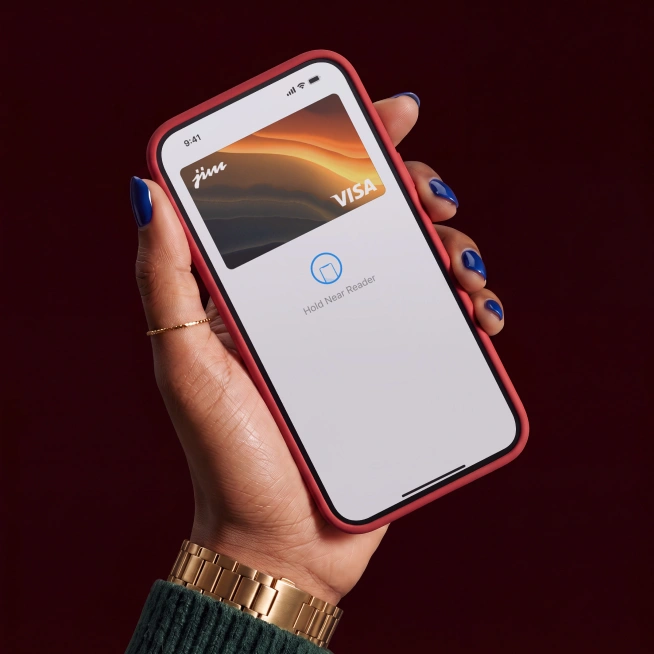
Your funds are ready in your JIM Visa Prepaid Card – no waiting.
Crystal Clear Pricing
1.99% per sale – always
When you sell with Jim, you've got more earnings to work with – thanks to our low, single fee of 1.99%.
Sell $2 or $2,000. Sell everyday or once in a while. It doesn't change.
1.99% for each payment you accept with Jim. Nothing more than that.
No set up costs, no monthly taxes, no different fees for different cards.
Sell $2 or $2,000. Sell everyday or once in a while. It doesn't change.
1.99% for each payment you accept with Jim. Nothing more than that.
No set up costs, no monthly taxes, no different fees for different cards.

Pay John’s Bakery
$

Security
Secure by design. From tap to payout.
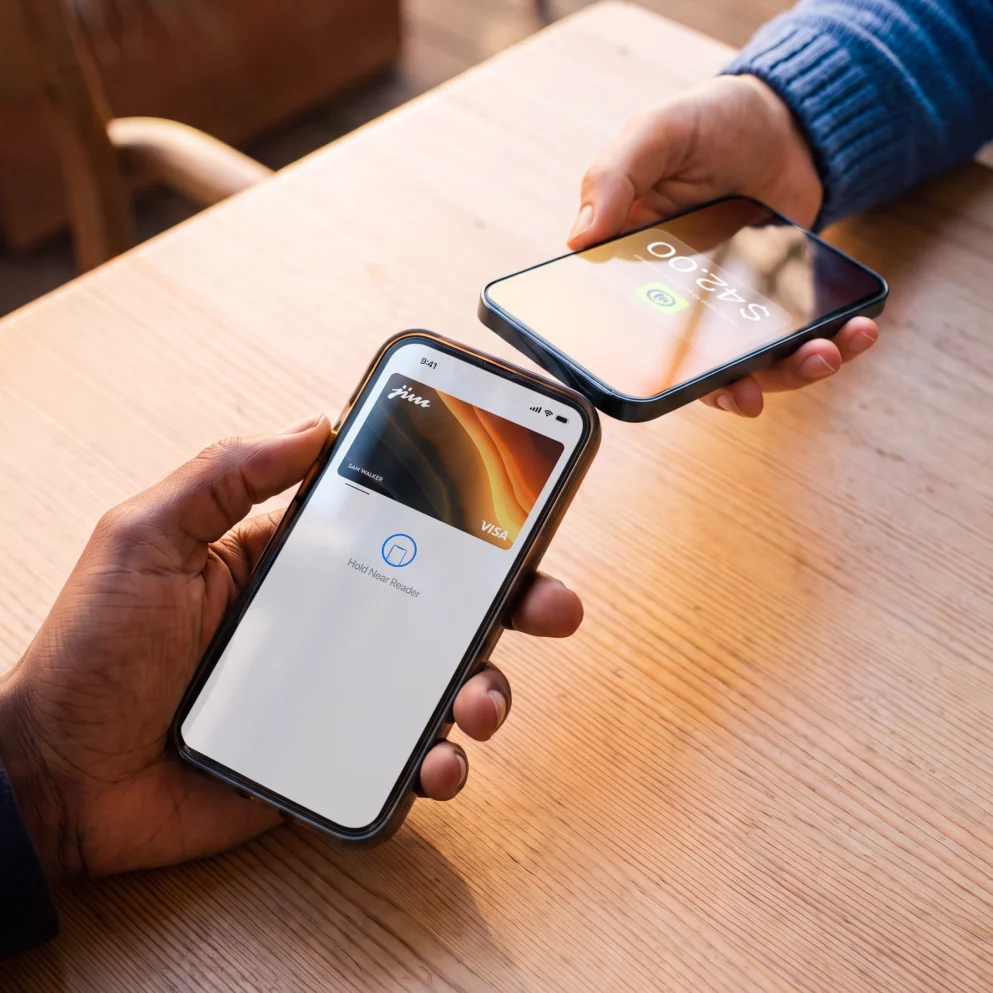
Payments with Jim run on NFC – the same secure tech behind Apple Pay, digital wallets and contactless cards.
When a customer taps their card or phone on your smartphone, the sale is processed instantly and encrypted on the spot.
No terminals. No data stored. Just a secure tap and you're paid.
When a customer taps their card or phone on your smartphone, the sale is processed instantly and encrypted on the spot.
No terminals. No data stored. Just a secure tap and you're paid.
Bread Delivery
+
$
-$0.40 (1.99% fee)
Trusted by thousands across all 50 states
Jim works harder than most and costs you very little.
Simple flate-rate fees
Instant payouts1
Simple account setup
No extra hardware needed
Sell anywhere, anytime
with your phone
with your phone
Tap to Pay: 1.99% per sale
Payment Link: 4.99% + $0.30 per sale
Payment Link: 4.99% + $0.30 per sale
1Instant settlements subject to terms.
Traditional solutions
Often around 3% per transaction
+a fixed fee of $0.10 to $0.15
+a fixed fee of $0.10 to $0.15
Simple flate-rate fees
Instant payouts1
Simple account setup
No extra hardware needed
Sell anywhere, anytime
with your phone
with your phone
Tap to Pay: 1.99% per sale
Instant payouts¹
Simple setup
with minimal requirements
with minimal requirements
Only your phone—
no extra hardware needed
no extra hardware needed
Sell anywhere, anytime
with your phone
with your phone
1Instant settlements subject to terms.
Traditional solutions
Often around 3% per transaction
+a fixed fee of $0.10 to $0.15
+a fixed fee of $0.10 to $0.15
Payouts take 1 to 3 business days
Complex setup, may require
extensive documentation
extensive documentation
Requires a physical
card reader or terminal
card reader or terminal
Limited to specific
locations or hardware
locations or hardware
Fees
Tap to Pay: 1.99% per sale
Payment Link: 4.99% + $0.30 per sale
Payment Link: 4.99% + $0.30 per sale
Payout speed
Instant payouts1
Account setup
Simple setup with minimal requirements
Equipment needed
Only your phone —
no extra hardware needed
no extra hardware needed
Mobility
Sell anywhere, anytime with your phone
1Instant settlements subject to terms.
Frequently Asked Questions
How do I receive the funds from my sales using Tap with Jim?
Payments in seconds are our standard. So, whenever you get paid, your money is available in seconds in your account. No more waiting 1-2 business days.
How do I use my money with Jim?
You have two easy ways to access your earnings—spend them instantly or transfer them to another account.
1. Spend instantly with the Jim Card (Free)
Every sale funds your Jim Visa Prepaid Card in seconds. It’s virtual, free, and ready to use immediately.
In stores: Add the card to your Apple Wallet and tap to pay anywhere Apple Pay is accepted.
Online: Use your card details (found in the app) to shop anywhere Visa is accepted.
2. Transfer to a bank account
If you need to move funds to an external bank account, you can use Same Day ACH.
Fee: 1.99% + $0.99 per transfer.
Speed: Funds arrive the same business day if initiated during business hours.
1. Spend instantly with the Jim Card (Free)
Every sale funds your Jim Visa Prepaid Card in seconds. It’s virtual, free, and ready to use immediately.
In stores: Add the card to your Apple Wallet and tap to pay anywhere Apple Pay is accepted.
Online: Use your card details (found in the app) to shop anywhere Visa is accepted.
2. Transfer to a bank account
If you need to move funds to an external bank account, you can use Same Day ACH.
Fee: 1.99% + $0.99 per transfer.
Speed: Funds arrive the same business day if initiated during business hours.
How do I use Tap with Jim?
Simply download the Jim app and enable contactless payments on your device. At the time of payment, ask the customer to hold their contactless credit or debit card, or any digital wallet-enabled device, near your phone. The payment will be securely completed using NFC technology, with the antenna located near the top of your device.
What payment methods does Tap with Jim accept?
Jim accepts all contactless payment methods, including contactless credit and debit cards, as well as digital wallets, using your NFC-enabled device with the Jim app.
What are the fees for Tap with Jim?
The fees are 1.99%. They’re always the same regardless of the merchant’s revenue.
What is the minimum payment amount I can receive using Tap with Jim?
The minimum sale amount for Tap with Jim is $1.
Is it safe to sell and pay using Tap with Jim?
Security is a priority for both sellers and buyers. Jim is designed to be fully fraud-resistant. When a payment is processed, card numbers or PINs are never stored on the device or servers, ensuring your transactions remain secure.