4.7 on App Store · 5,200+ reviews
THE CARD READER
YOU ALREADY OWN
Get paid fast. Accept payments right from your phone. No monthly fees. No hardware needed.
1.99% per tap

1.99% per sale
The same fee applies to every tap-to-pay transaction.

No monthly fees
You only pay when you sell. No subscriptions, no setup costs.

Simple and secure
Your money is available in seconds* after the sale is done.
Support major card brands and digital wallets for payments


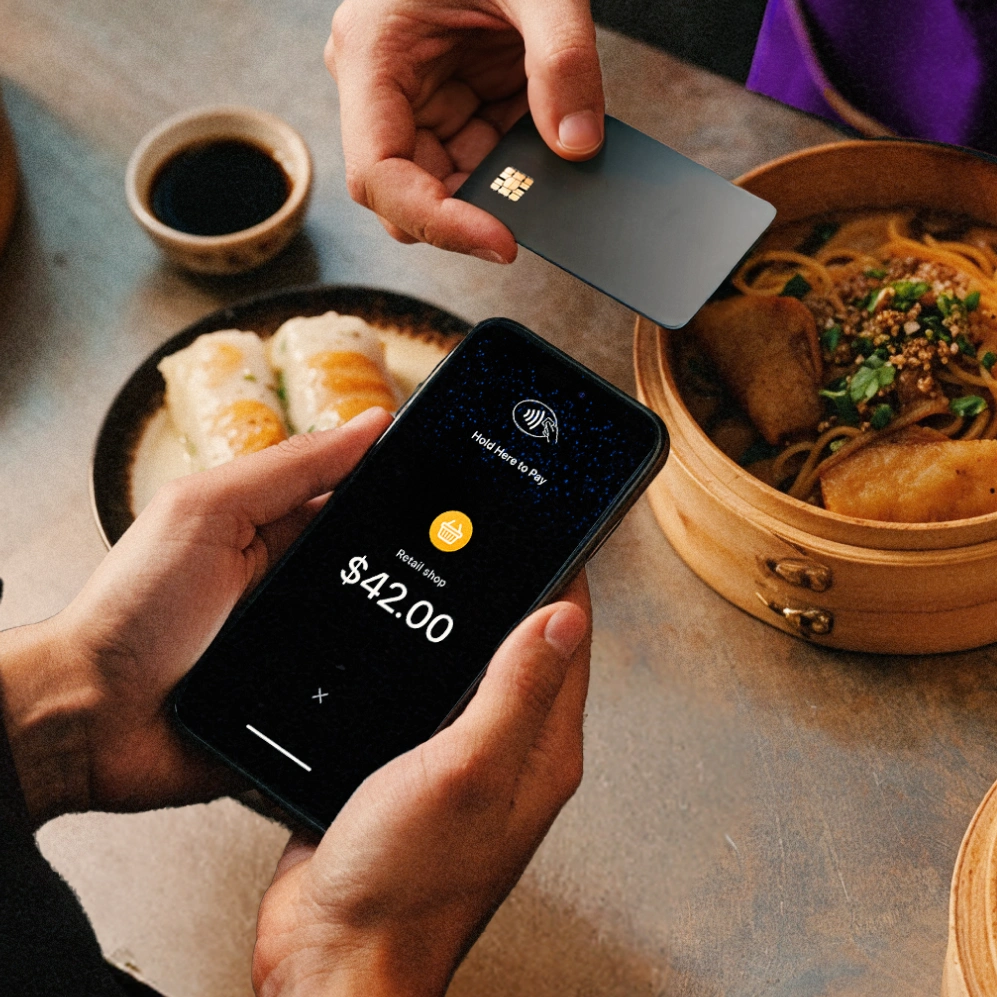
Payments made easy. For you and your customers
Customers simply tap their card or phone to pay.
Every transaction is processed using cutting edge technology and industry-standard safeguards designed to help keep payments smooth and reliable.
Funds become available in seconds*, helping you access your money instantly.
JIM accepts contactless payments from credit and debit cards, Apple Pay®, Google Pay®, and other digital wallets.
One tap and done:
you just got paid
Get started for free and turn your phone into a checkout you can take anywhere. Download the app, set up your account, and start accepting payments using your phone in seconds.
Open the JIM app, type in the amount and let customers leave a tip.

Hit sell and ask your customer to tap their card or device on your phone.

Your funds are available instantly* on your JIM Visa® Prepaid Card.

Open the JIM App, type in the amount and add a tip if you want to.

Hit sell and ask your customer to tap their card or device on your phone.

Your funds are ready in your JIM Visa Prepaid Card - or transfer to your bank anytime.


GOT PAID? SPEND IT INSTANTLY.
Get paid in seconds*
No high fees, no waiting. Your money is ready to use the second* the sale is done.
Transfer to your bank anytime
Your money is instantly* available on your JIM Card — or transfer to your bank via Same Day ACH (1.99% + $0.99 per transfer) whenever you want.
Use your JIM Card anywhere
Add it to your digital wallet and access your earnings in seconds, wherever contactless payments are accepted.
From Tap to Payout, Protection Built Into Every Transaction
Payments with JIM run on NFC - the same secure tech behind Apple Pay, digital wallets and contactless cards.
When a customer taps their card or phone on your phone, the sale is processed instantly and encrypted on the spot.
No terminals. No data stored. Just a secure tap and you're paid.
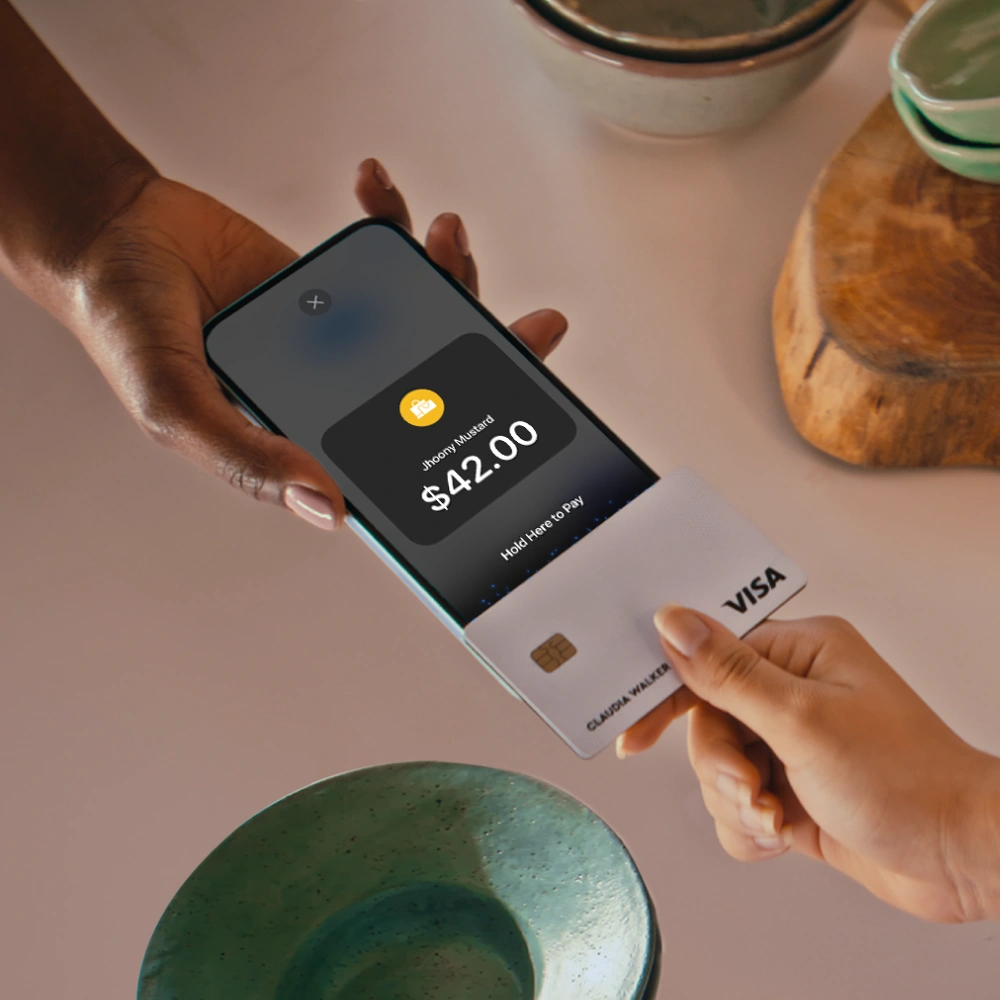
Trusted by Thousands of Business Owners the results? Even better.

Traditional solutions
Everything you need to know about JIM and how it works.
Frequently Asked Questions
How do I receive the funds from my sales using Tap with JIM?
Payments in seconds are our standard. So, whenever you get paid, your money is available in seconds in your account. No more waiting 1-2 business days.
How do I use my money with JIM?
You have two easy ways to access your earnings—spend them instantly or transfer them to another account.
1. Spend instantly with the JIM Card (Free)Every sale funds your JIM Visa Prepaid Card in seconds. It’s virtual, free, and ready to use immediately.- In stores: Add the card to your Apple Wallet and tap to pay anywhere Apple Pay is accepted.
- Online: Use your card details (found in the app) to shop anywhere Visa is accepted.
2. Transfer to a bank accountIf you need to move funds to an external bank account, you can use Same Day ACH.
- Fee: 1.99% + $0.99 per transfer.
- Speed: Funds arrive the same business day if initiated during business hours.
How do I use Tap with JIM?
Simply download the JIM app and enable contactless payments on your device. At the time of payment, ask the customer to hold their contactless credit or debit card, or any digital wallet-enabled device, near your phone. The payment will be securely completed using NFC technology, with the antenna located near the top of your device.
What payment methods does Tap with JIM accept?
JIM accepts all contactless payment methods, including contactless credit and debit cards, as well as digital wallets, using your NFC-enabled device with the JIM app.
What are the fees for Tap with JIM?
The fees are 1.99%. They're always the same regardless of the merchant's revenue.
What is the minimum payment amount I can receive using Tap with JIM?
The minimum sale amount for Tap with JIM is $1.
Is it safe to sell and pay using Tap with JIM?
Security is a priority for both sellers and buyers. JIM is designed to be fully fraud-resistant. When a payment is processed, card numbers or PINs are never stored on the device or servers, ensuring your transactions remain secure.
What if my customer's card isn't contactless?
Most cards issued in the US today are contactless-enabled — look for the contactless symbol (four curved lines) on the card. If a customer's card doesn't support contactless, they can still pay using Apple Pay, Google Pay, or Samsung Pay from their phone. You can also send them a JIM Payment Link to complete the sale online.
Can I transfer money to my bank account?
Yes! You can transfer your earnings to any US bank account via Same Day ACH. Your money lands in your bank the same business day. You can also spend directly from your JIM Visa Prepaid Card or Apple Pay.
Do I need internet to accept payments?
Yes, an internet connection (Wi-Fi or cellular data) is required to process payments securely. The payment is encrypted and processed in real time.
Does JIM work on Android?
Yes! JIM works on both iPhone and Android. Download the app and start accepting contactless payments on whichever device you use.
Is there a limit per transaction?
You can accept payments from $1 up to $10,000 per transaction with Tap to Pay. The same flat 1.99% fee applies regardless of the amount.
