Card Payment Machine: Complete Guide for Small Business
See article summary
- Card payment machines cost $0 to $850 upfront, plus 1.99% to 2.9% per transaction
- Four main types: countertop terminals, mobile terminals, phone-paired readers, and Tap to Pay apps
- Traditional terminals suit high-volume retail; mobile and Tap to Pay fit on-the-go businesses
- JIM turns your iPhone into a terminal at a flat 1.99% fee with no monthly charges
- Match the solution to your sales volume, mobility needs, and how fast you need funds
Your customer is ready to buy, card in hand. They tap, expect a beep, and wait for the receipt. But if you don't have a way to accept that payment, you just lost a sale. With around 80% of consumers preferring cards for in-person purchases, turning away card payments means turning away revenue.
The challenge? Traditional card payment machines cost anywhere from $150 to $850 upfront, plus monthly fees, processing charges, and hidden costs that chip away at your margins. The good news is that modern solutions have changed the game. You no longer need expensive hardware to accept card payments professionally.
What Is a Card Payment Machine?
A card payment machine is any device that processes debit or credit card transactions at the point of sale. Depending on where you live or who you're talking to, you might hear it called a payment terminal, POS terminal, card reader, PDQ machine, or EFTPOS machine. These names all refer to hardware that enables electronic payments at the point of sale.
Card Payment Machine Meaning and Names
Card payment machines go by many names, but they all do the same job: capture payment details, authorize the transaction with the customer's bank, and move funds to your account. The terminology varies by region and vendor. A PDQ machine (Process Data Quickly) is common in UK retail. EFTPOS (Electronic Funds Transfer at Point of Sale) is the standard term in Australia and New Zealand. In the US, most sellers simply say card reader or payment terminal.
Types of Card Payment Machines
The market offers several types of card payment machines, each suited to different business models. From fixed in-store countertop units to chip card readers that connect to your smartphone, you can choose hardware that matches your sales environment and budget.
| Type | Best For | Cost Range | | --- | --- | --- | | Countertop terminal | Fixed retail locations | $200–$850 | | Mobile/wireless terminal | On-the-go businesses | $50–$479 | | Card reader (pairs with phone) | Low-volume sellers | $0–$59 | | Tap to Pay on phone | Mobile businesses, no hardware | $0 (app only) |
Mobile-first solutions work on iOS or Android devices for real-time payment processing wherever you sell.
Card Payment Machines by Industry
Different businesses need different hardware. Here is how the main categories map to specific industries:
| Industry | Recommended Solution | Why | | --- | --- | --- | | Restaurants and cafes | Countertop terminal with receipt printer | High volume, fixed location, needs kitchen ticket integration | | Food trucks and pop-up shops | Tap to Pay on phone or mobile reader | Mobility is essential, no fixed counter, needs fast setup | | Salons and barbershops | Mobile reader or Tap to Pay | Service providers move between stations, tips matter | | Farmers market vendors | Tap to Pay on phone | No hardware to carry, lowest per-sale cost at 1.99% | | Retail stores with inventory | Countertop terminal with POS integration | Barcode scanning, stock management, staff logins | | Mobile service providers (plumbers, tutors) | Tap to Pay on phone | Visits clients at their location, no counter needed |
Why Card Acceptance Matters Now
Contactless payments represented 70% of in-person transactions on the Mastercard network as of October 2024. Customers expect to tap and go. Businesses without card acceptance don't just miss occasional sales; they lose customers to competitors who make checkout effortless.
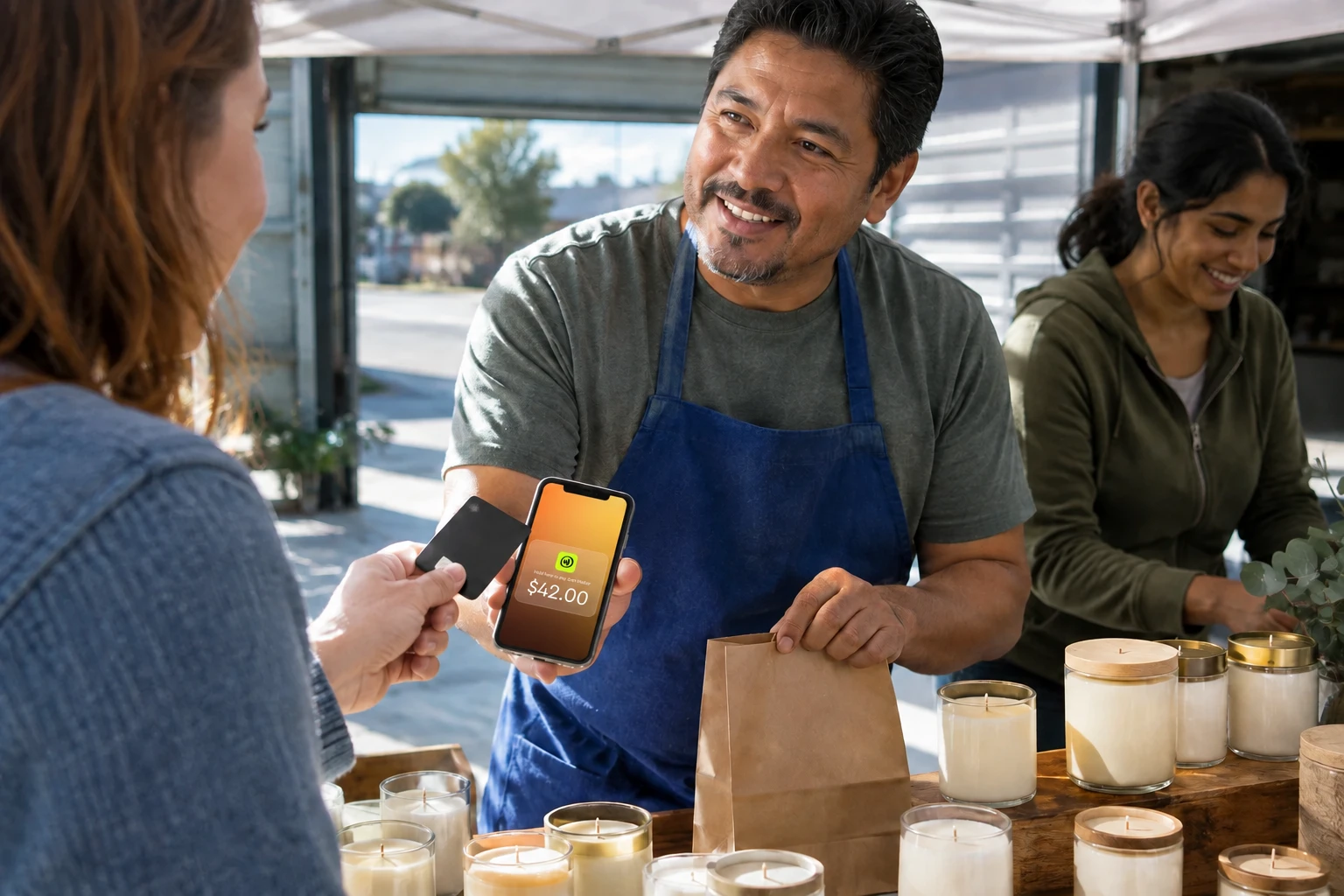
For mobile and in-person businesses, card acceptance can now be completely hardware-free. Consider JIM, a financial technology company that turns your iPhone into a contactless payment terminal through Tap to Pay technology. With a flat 1.99% fee and instant payouts to your JIM Visa® Prepaid Card, you can accept mobile payments without purchasing terminals or paying monthly fees. This payment solution works well for food trucks, pop-up shops, service providers, and any business that values mobility and immediate access to funds on their mobile device.
How Much Does a Card Payment Machine Cost?
Card payment machines cost $0 to $850 upfront, plus 1.99% to 2.9% per transaction and $0 to $50 per month in fees. The true cost goes beyond the hardware sticker price.
Hardware Costs
Traditional countertop terminals cost $150 to $850, depending on features like touchscreen displays and receipt printers. Wireless terminals range from $50 to $479. Basic card readers cost $0 to $59, with some processors offering the first reader free.
Tap to Pay apps like JIM require zero hardware investment. Your iPhone becomes the terminal.
Transaction Fees
Every card payment machine comes with processing fees. Some charge a flat percentage, while others use tiered or interchange-plus pricing that fluctuates based on card type and transaction method.
| Fee Type | Typical Range | Example ($100 Sale) | | --- | --- | --- | | In-person swipe/tap | 2.6% + $0.15 | $2.75 | | Online/keyed entry | 2.9% + $0.30 | $3.20 | | JIM Tap to Pay | 1.99% flat | $1.99 |
The in-person rate of 2.6% plus $0.15 reflects published pricing from major flat-rate processors. Source: Square's official website, accessed August 2026. Flat-rate processors charge the same percentage whether your customer uses Visa, Mastercard, or American Express. This applies to in-person transactions and virtual terminals for phone or keyed orders. Interchange-plus pricing passes through card network fees plus a markup, which can benefit high-volume businesses. Check JIM's pricing for a transparent breakdown of costs.
Monthly and Hidden Fees
Beyond transaction fees, watch for recurring charges that add up quickly. Many business owners focus only on the per-transaction rate and overlook these monthly costs until the first statement arrives.
- Monthly fees: $0 to $50 depending on provider
- PCI compliance fees: $5 to $20 per month
- Statement fees and batch fees: $5 to $15 per month
- Minimum processing fees: Charges if you don't hit a volume threshold
- Early termination fees: $200 to $500 if you cancel your contract
Card Payment Machines for Small Business: Your Options
Not every business needs a full POS terminal. Match the solution to your sales volume, mobility needs, and budget.
Traditional Terminals
Traditional countertop and wireless terminals work best for established retail locations, restaurants with fixed checkout areas, and businesses with high daily transaction volume. These all-in-one devices typically include EMV chip readers, magstripe slots, NFC for contactless payments, pin pads, receipt printers, and sometimes cash drawers. Many connect via Wi-Fi, ethernet, or cellular data, and support gift cards and loyalty programs.
Pros: durability, full POS functionality, ability to streamline inventory tracking. Cons: upfront costs, potential contracts, and settlement delays of one to three business days. Skip a traditional terminal if your monthly card volume is under $5,000. The upfront cost and monthly fees will eat more than the per-transaction savings. A food truck doing $3,000 in monthly card sales, for example, would pay $200-plus in hardware plus $25 to $50 in monthly fees before a single transaction, making a $0 hardware option like Tap to Pay the cheaper path.
Mobile Card Readers
Mobile card readers pair with your smartphone or tablet via Bluetooth. These compact readers have become popular with farmers market vendors, service providers who visit clients, and businesses with lower transaction volumes.
Pros: low upfront cost, portability, quick setup. Cons: requires a phone or tablet, and per-transaction fees add up over time. Skip a mobile reader if over 90% of your customers pay with contactless cards or digital wallets. A dedicated reader adds cost and a device to charge, carry, and pair, while Tap to Pay on phone handles the same contactless payments with no extra hardware. For more on portable options, see our guide on mobile POS solutions.
Tap to Pay on Phone
Tap to Pay technology uses your smartphone's NFC chip to accept contactless cards, Apple Pay, Google Pay, and Samsung Pay directly, with no separate hardware required. Mastercard reports that tap-on-phone is "removing barriers" for merchants of all sizes.
JIM takes this approach on iPhone, while other tap-to-pay solutions support Android devices as well. With JIM, your iPhone running iOS 16 or later becomes a payment terminal. You get a flat 1.99% fee per transaction, instant payouts to your JIM Visa® Prepaid Card, and no monthly fees. Learn more about how tap to pay works to decide if this approach fits your business.
How to Set Up a Card Payment Machine
Setting up a card payment machine depends on the type you choose. Traditional terminals take days or weeks. Tap to Pay apps take minutes.
Traditional terminal setup:
- Apply for a merchant account through a bank or processor. Submit your business license, EIN, bank statements, and personal identification.
- Wait for underwriting review. The provider evaluates your financial stability and fraud risk. This process often takes several business days but can stretch longer for new businesses or high-risk industries.
- Once approved, configure your payment gateway settings, integrate with your POS system, and complete test transactions.
- Receive your hardware in the mail and activate it with your merchant account credentials.
Tap to Pay setup (JIM):
- Download the JIM app on an iPhone XS or later.
- Complete seller registration: business details, ID upload, and facial recognition verification.
- Wait for approval, often the same day.
- Open the app, enter the sale amount, and have your customer tap their card or phone. No hardware setup or merchant account application.
The main difference is the merchant account requirement. Traditional processors require a dedicated account with underwriting. JIM uses an aggregated model where you register as a sub-merchant, which skips the lengthy application and lets you start accepting payments the same day.
How to Choose the Right Card Payment Machine
The right card payment machine depends on where you sell, how often, and how quickly you need access to your money. There is no single best option for every business. A busy retail store has different needs than a weekend market vendor or a mobile service provider.
Choose a traditional terminal if:
- You have a fixed retail location with high daily transaction volume
- You need built-in functionality like receipt printing, barcode scanning, or inventory management
- You prefer established POS ecosystems with extensive integrations
- Your business needs inventory tracking and staff management
Choose a mobile card reader if:
- You sell at markets, events, or client locations occasionally
- Low upfront cost matters more than per-transaction savings
- You already have a tablet or phone dedicated to business use
Consider Tap to Pay on iPhone if:
- You prioritize mobility and instant access to funds
- You want to avoid hardware purchases and maintenance entirely
- You value simple, transparent pricing without monthly fees
- You primarily accept in-person contactless payments
For a broader view of what's available, explore in-person payment options for your business.
How Do I Start Accepting Card Payments?
You can start accepting card payments today with no hardware purchase. Card payment machines range from $0 to $850, but sticker price is only part of the equation. Total cost depends on transaction fees, monthly charges, and sales volume.
For mobile and in-person businesses seeking simplicity, JIM offers a hardware-free path to card acceptance. Turn your iPhone into a payment terminal with a flat 1.99% fee and instant payouts to your JIM Visa® Prepaid Card.
Ready to accept card payments without the complexity? Explore JIM's Tap to Pay and start selling in minutes.
Frequently Asked Questions
What's the cheapest way to take card payments?
What is a card payment machine called?
Is it legal to own a card scanner?
What card machines have no monthly fee?
Is it illegal to charge a 3% credit card fee?


Sell and get paid in seconds with Jim






