Checkout Payment: What It Means and How to Simplify the Process
See article summary
- Checkout payment is the final transaction step where customers confirm orders and pay.
- About 70% of online carts get abandoned, often right at the payment moment.
- Every card payment moves through six stages, from tap to settlement.
- Offer cards, digital wallets, contactless, and alternatives to cut friction and lost sales.
- JIM turns your iPhone into a contactless terminal at a flat 1.99% fee with instant payouts.
Your customer has browsed your products, added items to their cart, and made it all the way to checkout. Then they leave.
Checkout payment is the transaction process at the final stage of a purchase, where customers confirm orders and submit payment. According to Baymard Institute research, the average documented online shopping cart abandonment rate sits at 70.22% as of Baymard's September 2025 update, with many lost sales happening right at this critical payment moment.
Below: the six-step processing flow, what drives cart abandonment, and how to choose checkout options that fit how you actually sell.
How Checkout Payment Processing Works
Every card payment follows a specific path from the customer's tap or swipe to the funds landing in your account. Knowing this flow helps you identify where delays or failures might occur.
- Customer initiates payment: They enter card details, tap their phone, or use a saved payment method at checkout.
- Gateway encrypts data: Payment information is secured before transmission to protect sensitive card details.
- Authorization request: The processor contacts the card network (Visa, Mastercard, etc.), which forwards the request to the customer's issuing bank.
- Bank verification: The issuing bank checks available funds, potential fraud, and authentication in real time before approving or declining.
- Confirmation sent: Approval travels back through the chain, and the transaction completes on screen.
- Settlement: Funds transfer to your merchant account. Timing varies: some solutions offer instant access, while traditional processors take one to three business days.
According to Stripe's research on payment processing, digital payments cost 57% less to handle than non-digital methods like cash or checks. For businesses looking to accept credit card payments efficiently, knowing this backend flow helps you choose processors that minimize delays and costs.
Is Online Checkout Secure?
Online checkout security rests on three layers working together. The gateway encrypts card data in transit. Tokenization replaces your customer's actual card number with a meaningless token, so the real digits never sit on your server. Fraud scoring flags suspicious patterns before the transaction completes.
Any business that accepts cards must follow the PCI Data Security Standard, or PCI DSS, a baseline of technical and operational requirements set by the PCI Security Standards Council to protect payment account data. Most modern processors and aggregators absorb the heaviest compliance work for you, but you still own basic obligations like never storing full card numbers.
How 3-D Secure Authentication Works
3-D Secure, or 3DS, adds a real-time identity check between the cardholder, their issuing bank, and your store during online checkout. The current version, EMV 3-D Secure maintained by EMVCo, runs a risk assessment in the background using more than 100 data elements. When confidence is high, the transaction passes through silently with no customer prompt. When risk warrants it, the customer confirms with a one-time code or biometric.
The practical payoff: when 3DS authentication succeeds, liability for a fraudulent chargeback shifts from you to the card issuer. That single shift protects your revenue on covered disputes.
How the Chargeback Process Works
A chargeback starts when a cardholder contacts their issuing bank to dispute a transaction. The bank reverses the funds from your account while it investigates. If the dispute resolves in the cardholder's favor, the reversal becomes permanent, and you may also pay a chargeback fee on top of losing the sale. Repeated chargebacks can raise your processing rates or put your merchant account at risk. Clear refund policies, signed receipts, and 3DS all reduce how often disputes stick. Learning how credit card chargebacks work gives you control before they escalate.
Checkout Payment Methods to Offer Customers
Customers expect choices at checkout. Baymard's research shows limited payment options drive roughly 13% of cart abandonments. Offering multiple methods removes friction and accommodates different preferences.
Credit and debit cards remain the most common checkout payment method worldwide. According to the Federal Reserve's 2024 Diary of Consumer Payment Choice, credit cards accounted for about 32% of consumer payments and debit cards for 30%, while cash fell to 16%. Cards alone no longer cover every buyer: digital wallets, contactless, and alternatives now carry meaningful share, so the methods below are worth offering together rather than in isolation.
Card Payments
Accepting Visa, Mastercard, American Express, and Discover covers the majority of card-paying customers. Debit cards often carry lower processing fees than credit cards, and learning how to accept debit card payments helps you capture that margin. Online card payments use tokenization, which replaces the actual card number with a secure token so the real digits never sit on your server.
Digital Wallets
Apple Pay, Google Pay, and Samsung Pay have grown quickly, especially among younger customers. Digital wallets store card information securely and enable faster checkout with biometric authentication. Businesses that accept digital wallets often see higher conversion rates because customers can pay with a tap instead of typing card numbers.
Contactless and Tap to Pay
NFC-enabled cards and phones allow customers to pay by tapping at a terminal or smartphone. This method works for both in-person and mobile checkout scenarios. Contactless has crossed the tipping point in the US: Visa reports its domestic face-to-face contactless transactions surpassed 60% in the second quarter of fiscal 2025, up from less than 1% in 2017. Visa's Tap to Phone, which turns an NFC smartphone into a payment terminal, grew 200% year over year, with nearly 30% of participating sellers new to card acceptance. JIM accepts all contactless methods directly on iPhone, making it simple to accept contactless payments without additional hardware.
Alternative Methods
PayPal remains a trusted global payment option, especially for e-commerce customers who prefer not to enter card details directly. Buy Now Pay Later services like Klarna let customers split purchases into installments, which can boost average order values. Bank transfers and ACH work well for larger transactions with lower processing fees. Regional and local payment options like PayNow, iDEAL, or PIX serve specific geographic markets. Recurring payments through subscription billing platforms help businesses with membership models collect automatically. Choosing which alternatives to offer depends on your customer base, average order value, and whether you sell one-time or subscription products.
Which Payment Methods Should Your Business Accept?
Your business type drives the right mix. Use the matrix below as a starting point.
| Business type | Deciding criterion | JIM when... | Consider an alternative if... |
|---|---|---|---|
| Food truck or market vendor | Mobility and speed | You sell face-to-face and need Tap to Pay on your phone | You also need a cash drawer and printed kitchen tickets |
| E-commerce store | Online conversion | You sell in person too and want one app for both | You need a full online gateway with custom checkout |
| Subscription business | Recurring billing | You collect first payments in person | Recurring billing is your only sales channel |
| Service provider | Deposits and balance | You take deposits via link and balance via Tap to Pay | You need invoicing tied to accounting software |
Why Checkout Matters: Cart Abandonment and Lost Revenue
A clunky checkout doesn't just frustrate customers; it directly costs you money. The numbers tell a clear story about where sales fall apart.
Research from SellersCommerce found that 48% of shoppers abandon carts when extra fees appear at checkout. Another 22% leave because the checkout process is too long or complicated. Tokenization, 3-D Secure authentication, and real-time fraud scoring each remove a specific failure point: tokenization protects stored data, 3DS shifts fraud liability to the issuer, and fraud scoring blocks suspicious transactions before they settle. Mobile shoppers abandon at even higher rates, with 75.5% of mobile carts left behind compared to 69.04% on desktop, according to SellersCommerce's 2026 cart abandonment statistics.
The average checkout flow runs 5.1 steps with 11.3 form fields, according to Baymard's checkout usability research, yet most sites need only 7 to 8 fields. Each additional form field or page load creates another opportunity for customers to reconsider or get distracted.
For businesses selling in person, checkout friction looks different but carries similar costs. Long lines, payment terminal failures, or limited payment options all push customers away. Knowing your in-person payment options helps you minimize these friction points.
Simplifying Checkout for In-Person and Mobile Sales
Not all checkout happens online. Food trucks, market vendors, service providers, and mobile businesses need payment methods that work wherever they sell. Traditional point-of-sale systems require hardware investments, long-term contracts, and often multi-day settlement delays.
Smartphone-based checkout offers an alternative. Your iPhone can become your entire payment system, accepting cards and digital wallets without separate terminals or card readers.
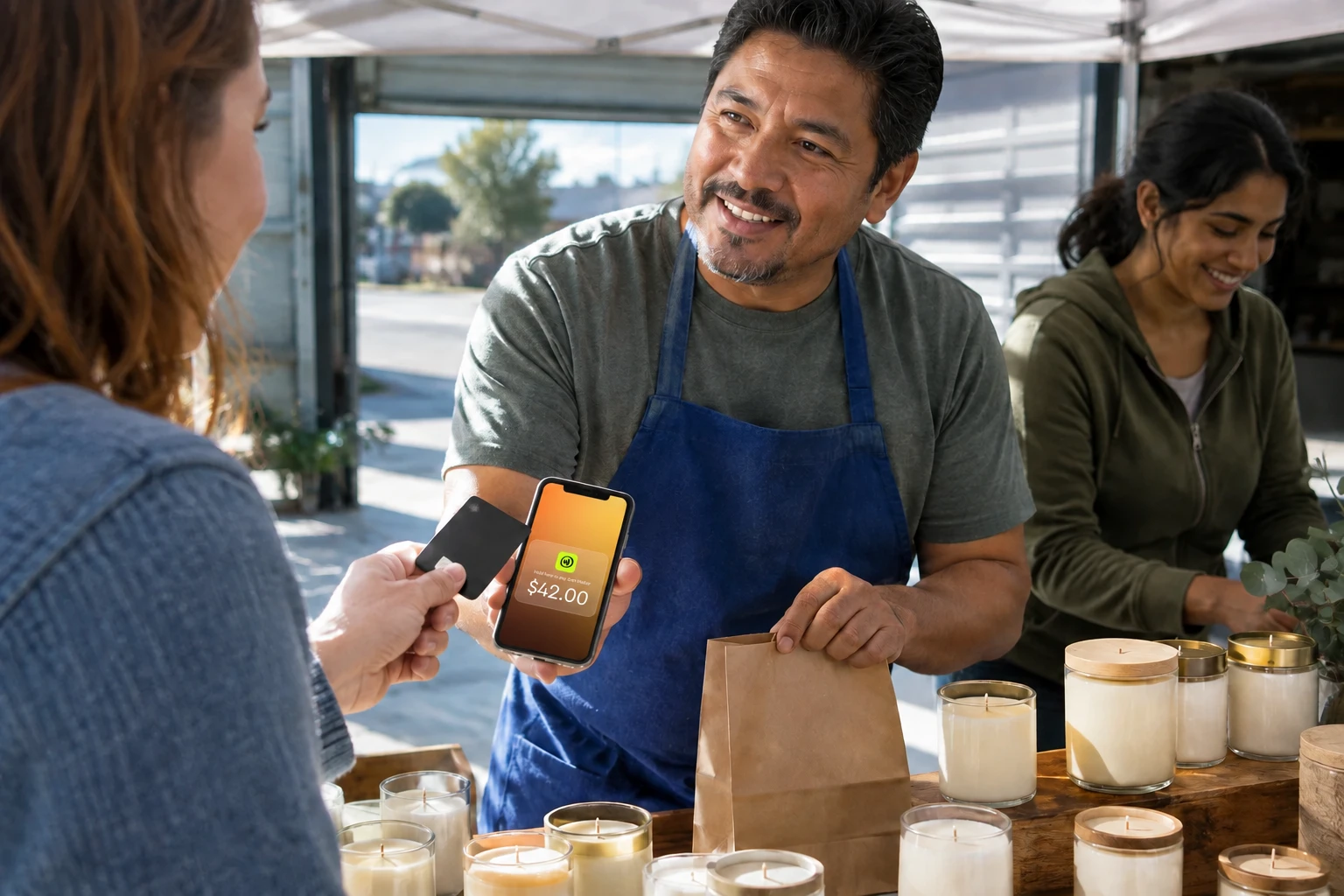
Consider JIM for mobile and in-person checkout. The app transforms your iPhone into a contactless payment terminal using Tap to Pay technology. Customers can pay with Visa, Mastercard, American Express, or Discover cards, or with Apple Pay and Google Pay, by simply tapping your phone. There is a $1 minimum per sale, and funds land on your JIM Visa Prepaid Card the moment the transaction completes.
| Feature | Traditional POS | JIM |
|---|---|---|
| Hardware needed | Yes (terminal) | No (iPhone only) |
| Setup | Complex | Download app, start selling |
| Fees | 2.6% + 15¢ per in-person sale | Flat 1.99% |
| Payout speed | 1 to 3 business days | Instant |
Source: Square's official website, accessed August 2026. In-person card-present rate: 2.6% + 15¢ per transaction.
JIM charges a flat 1.99% per transaction with no monthly fees and no hidden costs. Funds appear instantly on your JIM Visa Prepaid Card after each sale. For businesses that need to accept payments on the go, this approach eliminates the typical barriers of traditional mobile POS systems.
You can explore how the fee structure compares to other options on JIM's pricing page.
How to Choose the Right Checkout Payment Solution
Checkout payment represents the critical moment where customer intent converts to actual revenue. Friction at this stage, whether from complicated forms, limited payment methods, or slow terminals, directly costs you sales.
The right solution depends on how you sell. Online businesses need streamlined payment pages and diverse payment options. In-person and mobile businesses need flexibility without hardware complexity. Processors that bundle gateway, merchant account, and best credit card processing features into one flat rate cut the setup and waiting that traditional merchant services require.
For those selling face-to-face, JIM offers a way to simplify checkout entirely. Your iPhone handles contactless payments, you keep more of each sale with flat pricing, and you access your money immediately. No terminals, no waiting, no surprises.
Ready to streamline your in-person checkout? Explore JIM's Tap to Pay and start accepting payments from your phone.
Frequently Asked Questions
What does checkout mean in payments?
Does checkout mean to pay?
Is it "check out" or "checkout"?
How long does checkout settlement take?
What causes checkout payment declines?



Sell and get paid in seconds with Jim






