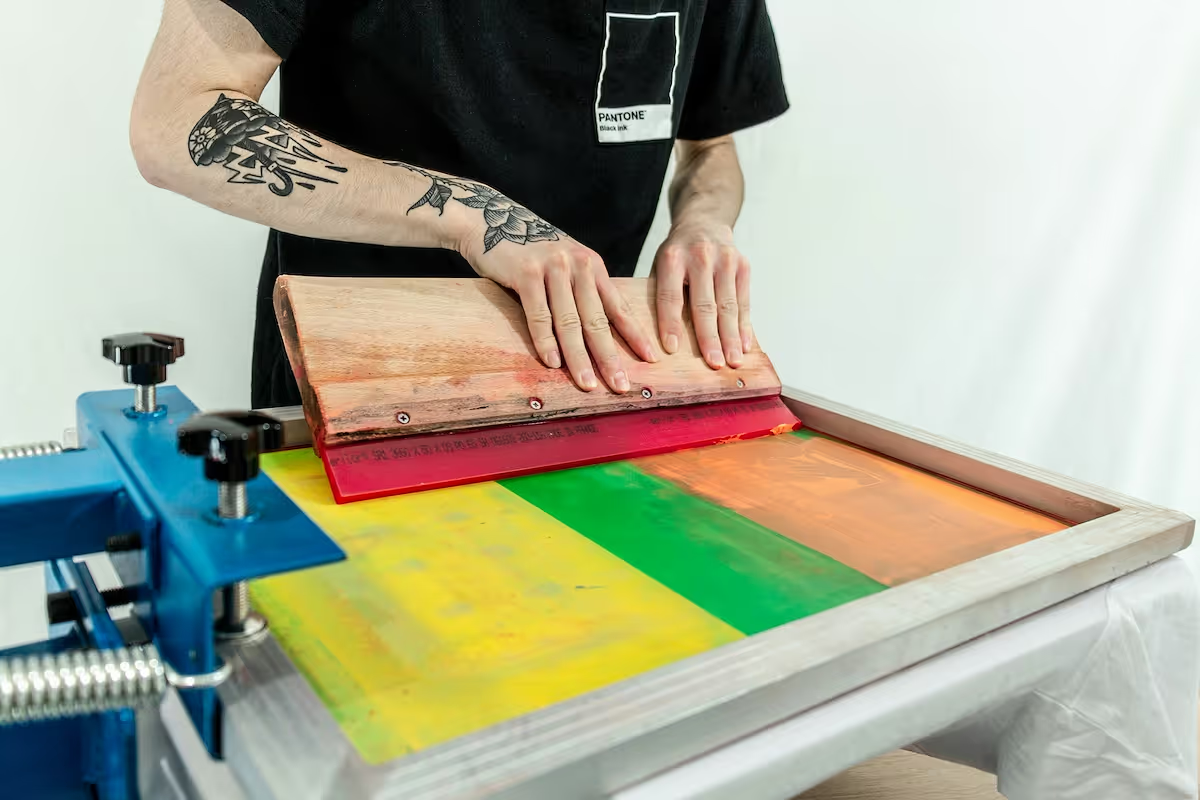
Starting a canvas printing business is a rewarding venture that combines creativity and an eye for detail with smart business planning. The custom printing market is a multi-billion dollar industry, and there is consistent demand for personalized canvases for home decor, special gifts, and corporate spaces.
This guide will take you through the practical steps of validating your business concept, acquiring the right equipment, building supplier relationships, and securing funding to help you launch a successful canvas printing business in the U.S.
Step 1: Research your market and create a plan
Your first step is to understand what customers want. Spend a few hours on Etsy and Pinterest searching for "canvas prints" to see popular styles, sizes, and subjects. Also, use Google Trends to check search volume for terms like "custom canvas" in your specific region.
Analyze your competition
Next, look at who you will be up against. For online rivals, use a platform like Semrush to see their top pages and keywords. For local businesses, check their Google Business Profile for reviews and pricing. This gives you a clear picture of the competitive landscape.
Estimate your startup costs
Budgeting for equipment is a big step. A quality wide-format printer from a brand like Canon or Epson will be your largest initial investment, typically from $3,000 to $6,000. It can be tempting to go cheaper, but poor print quality often leads to costly reprints and lost customers.
Beyond the printer, plan for other expenses. Set aside $500-$1,500 for initial canvas rolls and stretcher bars. Add costs for design software like Adobe Photoshop, business registration fees ($100-$500), and setting up an e-commerce website, which can range from $300 to $2,000.
Here are 4 immediate steps to take:
- Research the top 10 selling canvas art styles on Etsy.
- Use Google Trends to compare search interest for "photo on canvas" and "custom wall art".
- Create a startup budget spreadsheet with line items for a printer, initial supplies, and software.
- List three competitors and their starting prices for a 16x20 inch canvas.
Step 2: Set up your legal structure and get licensed
Choose your business structure
You might want to consider forming a Limited Liability Company (LLC). This structure protects your personal assets if the business faces a lawsuit. Operating as a sole proprietor does not offer this protection, putting your personal finances at risk.
To form an LLC, you file Articles of Organization with your state's Secretary of State. The filing fee typically ranges from $50 to $500, and approval can take anywhere from a few days to several weeks depending on your state.
Secure your federal, state, and local permits
Once your business is registered, get an Employer Identification Number (EIN) from the IRS website. It is free and you will need it to open a business bank account and file taxes. This number is your business's federal tax ID.
Next, register for a seller's permit with your state's Department of Revenue. This permit allows you to collect sales tax on your canvas prints. Also, if you plan to operate from home, check with your city or county clerk about a home-based business permit, which usually costs under $100.
Here are 4 immediate steps to take:
- File for an LLC with your state's Secretary of State.
- Apply for a free Employer Identification Number (EIN) on the IRS website.
- Register for a seller's permit through your state's Department of Revenue.
- Contact your city clerk's office about a home-based business permit.
Step 3: Protect your business with the right insurance
You will want to secure General Liability insurance first. This covers accidents or property damage. For a small operation, expect to pay $400 to $900 annually for a $1 million policy. This is your foundational safety net.
Next, consider a Business Owner's Policy (BOP). It bundles General Liability with Commercial Property insurance, which protects your expensive printer and supplies from theft or fire. This package often costs less than buying each policy separately.
Cover your specific risks
A mistake some new owners make is to skip Professional Liability insurance. This policy covers claims of poor workmanship, such as color inaccuracies or printing defects. Without it, you would pay for reprints and potential legal fees out of pocket.
If you hire anyone, even part-time, you will need Workers' Compensation. Also, if you use a vehicle for business deliveries, a Commercial Auto policy is necessary as your personal auto insurance will not cover business use.
When you look for providers, consider companies like Hiscox, The Hartford, or Next Insurance. They specialize in small business coverage and understand the risks of a creative enterprise. It is a good idea to get quotes from at least three different insurers.
Here are 4 immediate steps to take:
- Request a quote for a Business Owner's Policy (BOP) to bundle liability and property coverage.
- Ask potential insurers about adding Professional Liability to cover printing errors.
- Compare annual premium quotes from at least two providers like Hiscox or The Hartford.
- Determine if you need Workers' Compensation or Commercial Auto insurance for your operations.
Step 4: Set up your workspace and buy equipment
Find your physical space
You can start with a 100-150 square foot area in a garage or spare room. Check your city’s zoning regulations for home-based businesses. Some areas require a permit for any commercial activity, even without customer foot traffic.
If you decide to lease a commercial spot, look for spaces zoned for "light industrial" use. When you negotiate a lease, you might ask for a tenant improvement allowance. This can help cover costs for electrical upgrades needed for your printer.
Purchase your printing gear
Your main purchase is a wide-format printer. Models like the Canon imagePROGRAF or Epson SureColor series cost between $3,000 and $6,000. A mistake some owners make is to ignore ink costs. Research the price per milliliter for replacement inks before you buy the printer.
You will also need canvas rolls and stretcher bars. Suppliers like Breathing Color or LexJet are good starting points. Canvas rolls typically come in 40-foot lengths, and you may need to order stretcher bars in bundles of 50 or more to get wholesale pricing.
Here are 4 immediate steps to take:
- Check your city's zoning laws for home-based business operations.
- Price out a Canon imagePROGRAF printer and its ink replacement costs.
- Get quotes for canvas rolls and stretcher bars from a supplier like Breathing Color.
- If leasing, ask potential landlords about a tenant improvement allowance.
Step 5: Set up your payment processing
Most customers will expect to pay with credit cards, debit cards, or digital wallets. For custom orders, you should require a 50% deposit upfront. This practice covers your material costs and confirms the client's commitment before you start printing.
When you choose a payment solution, pay close attention to transaction fees. Many providers charge between 2.5% and 3.5% per sale, which impacts your profit margin. You need a system that is simple for you and your customers.
For a canvas printing business that needs to accept payments on-site or on-the-go, JIM offers a streamlined solution. With JIM, you can accept debit, credit and digital wallets directly through your smartphone - just tap and done.
At just 1.99% per transaction with no hidden costs or extra hardware needed, it's particularly useful for artists selling at markets or for designers making in-person client sales.
- Get Started: Download the JIM app for iOS.
- Make a Sale: Type the sales amount, hit sell, and ask your customer to tap their card or device on your phone.
- Access Funds: Your money is available right on your JIM card as soon as the sale is done - no waiting for bank transfers.
Here are 3 immediate steps to take:
- Decide on your deposit policy for custom orders, such as a 50% upfront payment.
- Compare transaction fees from different payment solutions to understand the market average.
- Download the JIM app to see how it works for in-person sales.
Step 6: Secure funding and manage your finances
You might want to look into an SBA Microloan, which offers between $500 and $50,000. Interest rates typically run from 8% to 13%. These loans are a good fit for new businesses that have a solid plan but lack a long credit history.
Plan to have $5,000 to $10,000 in working capital for your first six months. This amount covers supplies, marketing, and other operational costs. Some new owners get caught off guard by underestimating their ink and canvas usage, which can quickly drain cash reserves.
In addition to loans, you can explore grants. Look into the Amber Grant for women-owned businesses or check with your local arts council for regional funding opportunities. Grant applications are competitive and have firm deadlines, so prepare your proposal well in advance.
Keep your books clean
Open a dedicated business bank account as soon as your LLC is formed. This separation is vital for liability protection and simplifies tax preparation. You can also use accounting software like Wave or QuickBooks Self-Employed to track every dollar from day one.
Here are 4 immediate steps to take:
- Draft a six-month budget that includes estimates for ink, canvas, and marketing.
- Review the application requirements for an SBA Microloan on the SBA website.
- Search for your local arts council to find grant application dates.
- Open a dedicated business bank account for your LLC.
Step 7: Hire your team and streamline operations
You can likely handle the first $100,000 in annual sales by yourself. Once you consistently hit that mark, or find yourself spending all your time on production instead of growth, it is time to hire. A mistake some owners make is waiting too long and getting overwhelmed.
Your first hire
Your first employee will likely be a Print and Production Assistant. This person handles printing, stretching canvas, quality checks, and packing orders. Expect to pay an hourly wage of $18 to $22, depending on your location. You will provide most of the training on your specific workflow.
Streamline your workflow
Before you hire, document your entire process from order intake to shipping. This creates a standard operating procedure (SOP) that ensures consistent quality. You can use a simple project management app like Trello to create a visual board for tracking each order's status.
Here are 4 immediate steps to take:
- Draft a job description for a Print and Production Assistant.
- Map out your production workflow in a document or on a Trello board.
- Research the average hourly wage for production roles in your area.
- Set a revenue goal that will trigger your first hire.
Step 8: Market your business and get customers
Focus on visual social media
Your product is visual, so your marketing should be too. Set up business accounts on Instagram and Pinterest. Post high-quality images of your canvases in styled home settings, not just on a blank wall. A common mistake is to post inconsistently. Use a scheduler like Buffer to plan a week of content at once.
You can also partner with local interior designers or real estate agents. Offer them a 10-15% commission on any sales they refer. This gives you access to customers who are actively looking to decorate a new space.
Run targeted digital ads
Once you have a portfolio, run targeted ads on Facebook and Instagram. You can target users based on life events like "Newly Engaged" or "Recent Homebuyers." Start with a small budget, around $15 per day, to see which ad designs and audiences perform best.
For a custom product, a good customer acquisition cost (CAC) is under $50. If you spend more than that to get a single order, your ad or your pricing may need adjustment. Track this number carefully. A typical website conversion rate for this industry is 1-2%.
Here are 4 immediate steps to take:
- Set up an Instagram business profile and schedule your first five posts.
- Create a list of five local interior designers to contact for partnerships.
- Launch a Facebook ad campaign with a $15 daily budget targeting "home decor" interests.
- Create a spreadsheet to track your ad spend and customer acquisition cost.
Step 9: Set your pricing and profit margins
Your price needs to cover costs and generate profit. A straightforward approach is cost-plus pricing. First, calculate your cost of goods sold (COGS) for one canvas. This includes ink, canvas material, stretcher bars, and your time.
A common markup in this industry is 200-300% over your COGS. For example, if a 16x20 canvas costs you $25 in materials and labor, a 300% markup ($75) sets your retail price at $100. This gives you a 75% gross margin.
Price against your competition
Now, see what your competitors charge. Look up the top five canvas printers on Etsy and two local shops. Create a simple spreadsheet to compare their prices for a 16x20 canvas. Note their shipping costs too, as many customers see that as part of the total price.
A mistake many new owners make is to simply try to be the cheapest. This can lead to a price war you cannot win and devalues your work. Instead, compete on quality and service, which allows you to hold a higher price point.
You can also consider value-based pricing. If you offer a highly personalized service, like photo restoration before printing, you can charge more. Your price reflects the unique value you provide, not just the materials you used.
Here are 4 immediate steps to take:
- Calculate the total cost for your most popular canvas size, including materials and labor.
- Apply a 200-300% markup to determine your initial retail price.
- Create a spreadsheet to track the prices and shipping fees of three direct competitors.
- Decide if you will offer free shipping and adjust your product price to cover that expense.
Step 10: Maintain quality and scale your operations
Establish your quality standards
Create a physical checklist for every print that leaves your shop. It should include checks for color accuracy against the source file, tight canvas tension with no sagging, and clean, sharp corner folds. This simple document is your first line of defense against costly reprints.
A mistake some owners make is to neglect color management. You should calibrate your monitor and printer at least once a month with a colorimeter, like an X-Rite i1. Your goal should be a customer return rate under 2% due to quality issues.
Know when to scale
Once you consistently hit $10,000 in monthly revenue, it is time to invest in growth. This is a good benchmark to start your research for a second printer. This move can double your output and provide a backup if your primary machine needs maintenance.
As order volume grows, you can use software like Order Desk or ShipStation. These platforms consolidate orders from your website, Etsy, and other channels. They also automate shipping label creation, which saves hours of administrative work each week.
Here are 4 immediate steps to take:
- Create a printed quality control checklist for every order.
- Research the cost of an X-Rite i1 colorimeter for monitor and printer calibration.
- Set a monthly revenue goal that triggers your plan to buy a second printer.
- Sign up for a free trial of Order Desk to see how it can automate your workflow.
Conclusion
Your canvas printing business is where art meets commerce. Remember that consistent quality, from color accuracy to tight corners, builds a reputation that lets you charge what you're worth. You have the steps, now go build your brand one beautiful print at a time.
And when you make those first sales, getting paid should be simple. A solution like JIM lets you accept cards right on your phone for a flat 1.99% fee, no hardware needed. It keeps things easy so you can focus on your art. Download JIM.
.avif)