What Is NFC Mobile Payment? How Contactless Pay Works (2026)

See article summary
- NFC mobile payment transmits encrypted payment data between a phone and terminal within about 4 centimeters.
- Tokenization replaces the card number with a single-use token, blocking skimming and replay attacks.
- Apple Pay and Google Pay are the most common NFC wallets; contactless cards use the same technology.
- The US has no legal contactless limit; Visa requires no CVM cap on US terminals.
- JIM turns an iPhone into a contactless terminal at 1.99% per tap with instant payouts.
NFC mobile payment is a contactless transaction method that transmits encrypted payment data between a phone, smartwatch, or card and a payment terminal within about 4 centimeters. Apple Pay, Google Pay, Samsung Pay, and contactless credit cards all use it. The technology replaces the card number with a single-use token and authenticates the user through biometrics or a passcode, which is why tap-to-pay transactions process in seconds and carry lower fraud rates than magnetic stripe cards.
For business owners, the practical effect is faster checkout, fewer abandoned sales, and no need for dedicated card reader hardware. The 2025 Federal Reserve Diary of Consumer Payment Choice found that U.S. consumers made an average of 11 payments per month with a mobile phone in 2024, up from four in 2018. Accepting NFC is now table stakes, not a differentiator.
How NFC technology works
NFC, or near-field communication, is a form of radio-frequency identification that exchanges encrypted data between two devices within roughly 4 centimeters. When a customer taps Apple Pay or Google Pay, the phone's NFC chip transmits a tokenized payment payload to the terminal over a 13.56 MHz radio frequency signal. The terminal forwards that payload to the payment processor, which verifies it with the card issuer and returns an approval in seconds.
Three components make this work:
- The customer's NFC-enabled device: smartphone, smartwatch, or contactless card
- The NFC chip embedded in that device, which stores the tokenized card credentials
- The merchant's NFC-enabled terminal: a card reader, a point-of-sale system, or an iPhone running Tap to Pay
What makes NFC payments secure is tokenization. The card networks replace the actual primary account number with a device-specific digital token, so the real card number is never stored on the device or transmitted during the transaction. Visa reports that tokenization has saved $650 million in fraud across its network and provisioned 10 billion network tokens since launch. This blocks card skimming, replay attacks, and magnetic stripe cloning, the three fraud vectors that contactless payments are designed to defeat.
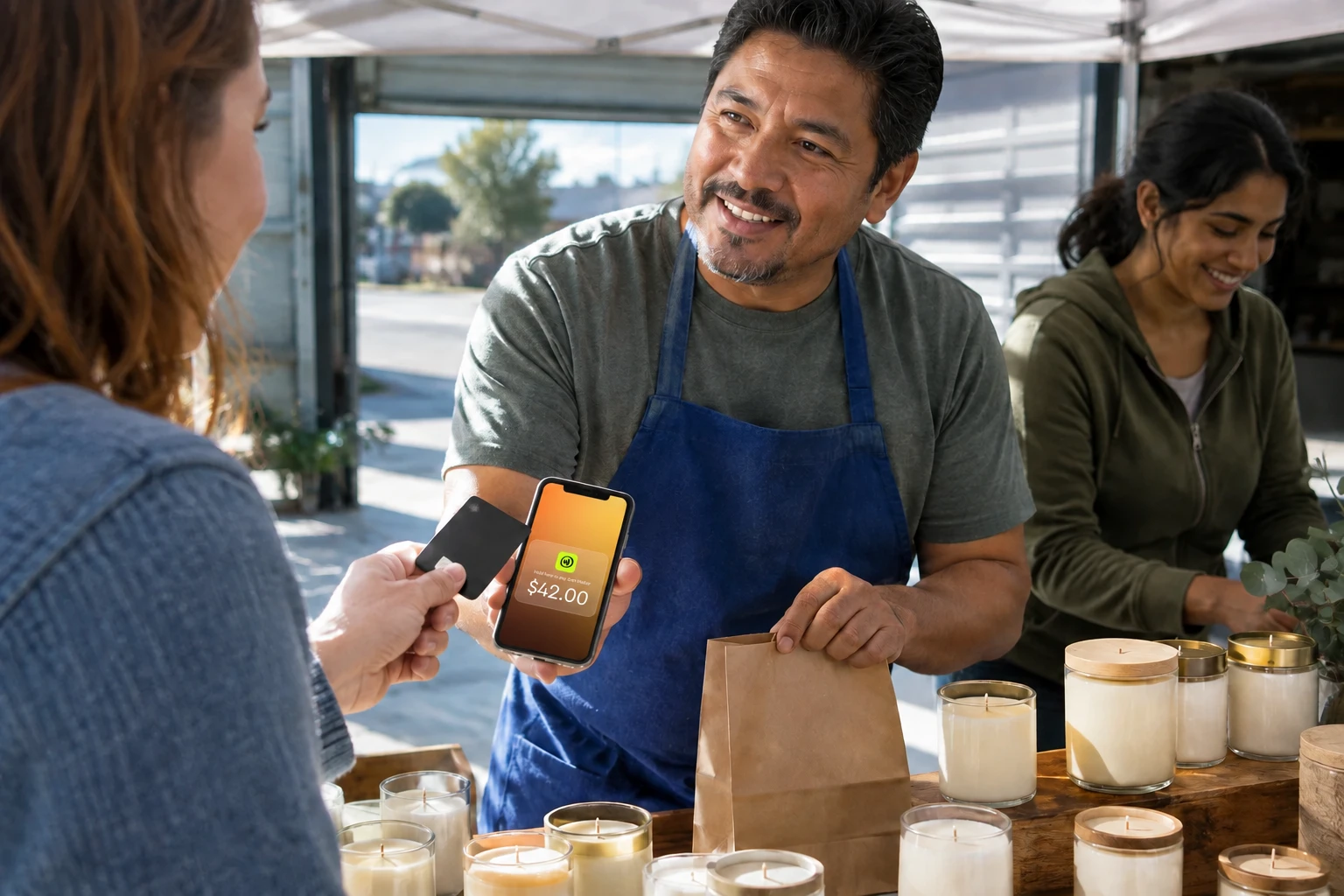
JIM turns an iPhone into a complete payment terminal using Tap to Pay technology:
- Get Started: Download the free app and set up your account in minutes
- Make a Sale: Enter the amount and have customers tap their card or device on your iPhone
- Access Funds: Money hits your JIM Visa® Prepaid Card instantly after each sale
With a flat 1.99% fee per transaction and no hardware costs, JIM eliminates the complexity typically associated with accepting NFC mobile payments.
Common examples of NFC mobile payments
Contactless payment systems support a growing range of mobile devices, wearables, and contactless-enabled cards that let customers complete in-person checkout without physical contact.
Digital wallets and mobile payment apps
Apple Pay leads the digital wallet space, allowing iPhone users to store multiple credit cards, debit cards, and loyalty cards within the Wallet app. Customers authenticate payments using Face ID, Touch ID, or a passcode, then hold their phone near any contactless payment terminal. Google Pay offers similar functionality for Android devices.
Major payment platforms have also integrated NFC capabilities, enabling users to make in-person contactless transactions directly through their mobile apps. These digital payment solutions connect to existing bank accounts or physical cards, bridging traditional payment methods and modern contactless technology.
Wearable devices and smartwatches
Smartwatches are another growing category of NFC-enabled devices. Apple Watch users can pay through Apple Pay without their phone, while Android-compatible smartwatches support Google Pay transactions. This hands-free convenience appeals to customers during workouts, outdoor activities, or situations where pulling out a phone isn't practical.
Contactless cards
Contactless cards use the same NFC technology as smartphones. These EMV chip cards feature a small antenna that communicates with payment terminals when tapped or held within close proximity. Major card networks including Visa, Mastercard, American Express, and Discover all offer contactless card options that work with NFC-enabled point-of-sale systems.
NFC vs QR code vs EMV chip vs magstripe
Customers and merchants often compare contactless payments against other checkout methods. The table below covers speed, security, range, and cost across the four most common options.
| Method | Interaction | Range | Security | Speed |
|---|---|---|---|---|
| Magnetic stripe | Physical swipe | Contact | Low (static data, skimmable) | Moderate |
| EMV chip insert | Physical insert | Contact | High (dynamic cryptogram) | Moderate |
| QR code | Camera scan | Variable | Medium (depends on app) | Slow |
| NFC tap | Near contact | ~4 cm | Very high (tokenization + auth) | Fastest |
NFC wins on speed and security because the tokenized payload never exposes the card number and the transaction completes in under a second. QR codes avoid terminal hardware entirely but add scanning friction and depend on the customer's camera and app. Magnetic stripe is the weakest option and is being phased out by most issuers.
How NFC mobile payment works
When a customer initiates an NFC mobile payment, several security measures activate simultaneously. First, the customer unlocks the payment device and authenticates through biometric verification (facial recognition, fingerprint) or passcode entry. This authentication step prevents unauthorized use even if someone gains access to the physical device.
Next, the NFC chip generates encrypted payment information specific to that transaction. This data includes a tokenized version of the card number, transaction amount, and merchant information. The encrypted data transmits over radio frequency to the NFC-enabled card reader within a range of just a few centimeters.
The payment terminal receives this encrypted information and forwards it to the payment processor, which verifies the transaction details with the customer's bank or credit card company. Once approved, the payment processor sends confirmation back through the chain. The entire process completes within seconds.
This speed benefits your business by enabling higher transaction volume during busy periods and reducing customer wait times that lead to abandoned purchases.
Is there a limit on NFC contactless payments?
The US has no single legal contactless limit. Visa does not require a cardholder verification method (CVM) limit on US terminals, so merchants can set it to the maximum amount. Mastercard sets a $100 verification threshold and American Express sets $200; above those amounts, a physical card may prompt for a PIN. Mobile wallets like Apple Pay and Google Pay clear verification through on-device biometrics, so they typically do not trigger the prompt a physical card would at the same amount. Either way, that figure is a verification point, not a cap on sale size. Source: U.S. Payments Forum contactless limits guidance.
Security features and authentication methods
NFC mobile payments incorporate multiple security features that exceed those of traditional payment methods. According to EMVCo security standards, tokenization ensures that actual card numbers never appear during transactions, while encryption protects all data transmitted between devices. Even if someone intercepts NFC communication, they receive only encrypted, single-use tokens rather than usable payment information.
Authentication requirements add another layer of security. Users must unlock their device and verify their identity through biometric authentication or passcode entry before completing any NFC transaction. Stolen or lost devices cannot be used for unauthorized payments without the owner's biometric data or security credentials.
NFC's short-range communication requirement provides physical security. Payment terminals must be within close proximity, typically touching or nearly touching, for transactions to occur. This proximity requirement blocks long-range interception attempts, which is why contactless payments defeat the card skimming and replay attacks that affect magnetic stripe cards.
Should my NFC be on or off?
Keep NFC functionality enabled on smartphones and other mobile devices, provided you follow basic security practices. The technology's built-in security features, combined with authentication requirements, make NFC mobile payments safer than many traditional payment methods.
Users concerned about privacy can disable NFC when not needed for payments. Android users can toggle NFC on and off through Settings > Connected devices > Connection preferences > NFC. iPhone users control NFC access through individual app permissions rather than a system-wide toggle, since iOS restricts NFC functionality to approved payment apps like Apple Pay.
For business owners, accepting NFC mobile payments has become essential rather than optional. The 2025 Federal Reserve Diary of Consumer Payment Choice found that U.S. consumers made an average of 11 payments per month with a mobile phone in 2024, up from four in 2018, and adults aged 18 to 24 used their phones for 45% of all payments. Younger consumers favor digital wallets and mobile payment options over cash or traditional cards.
Is Apple Pay an NFC mobile payment?
Yes, Apple Pay is a prime example of NFC mobile payment technology. When you use Apple Pay, your iPhone or Apple Watch communicates with payment terminals through near-field communication, transmitting encrypted payment data over short distances. The system uses the same NFC technology found in contactless cards but adds security layers through biometric authentication and device-specific tokenization.
Apple Pay works at any merchant that accepts contactless payments, including most major retailers, restaurants, and service providers. You can identify compatible terminals by looking for the contactless payment symbol or Apple Pay logo at checkout.
Setting up NFC payments on different devices
Getting started with NFC mobile payments takes a few minutes on most modern smartphones. Once enabled, customers can complete contactless transactions using their mobile phone, digital wallet, or smartwatch at any compatible payment terminal.
iPhone and Apple Pay setup
Set up Apple Pay by opening the Wallet app and tapping the "+" symbol to add a new card. The process involves photographing the physical card or manually entering card details, then verifying the information with the card issuer through SMS, email, or phone call. Once verified, the card appears in the Wallet app and becomes available for NFC transactions.
To use Apple Pay, double-click the side button, authenticate with Face ID or Touch ID, then hold the top of your iPhone near the contactless reader until you see "Done" and a checkmark on the display.
Setting up Google Pay and enabling NFC on Android
Android users can download Google Pay from the Google Play Store, then add payment methods by photographing cards or entering details manually. Google Pay requires verification through the card issuer before activation. Some Android devices come with Google Pay pre-installed.
To enable the NFC radio that powers tap-to-pay, navigate to Settings > Connected devices > Connection preferences > NFC, then toggle the feature on. The exact path varies by device manufacturer:
- Samsung: Settings > Connections > NFC and contactless payments
- Google Pixel: Settings > Connected devices > Connection preferences > NFC
- OnePlus: Settings > Connected devices > NFC
For transactions, unlock your phone and hold it near the terminal, or use the quick settings tile to access Google Pay without fully unlocking the device.
Merchant setup: accepting NFC payments
For business owners, the setup question is how to accept NFC payments, not just make them. Three paths cover most small business scenarios:
- Tap to Pay on iPhone: Download the JIM app, complete your seller registration, and your iPhone becomes a contactless terminal. No hardware, no terminal certification, and the 1.99% fee is flat. PCI compliance is handled by the platform.
- Dedicated NFC terminal: Buy or lease a contactless-enabled card reader from a traditional processor. Hardware runs $59 to $799 depending on features, and you pay the processor's interchange-plus or flat rate.
- Mobile card reader: Pair a Bluetooth reader with your phone or tablet. Lower upfront cost, but you still pay per-transaction fees and depend on a second device.
JIM's Tap to Pay path skips hardware procurement and terminal certification entirely. The Tap to Pay on iPhone setup requires an iPhone XS or later running iOS 16 or higher, and funds land in your JIM account instantly after each sale.
Benefits for business owners and customers
Contactless payment technology does more than modernize checkout. It improves transaction speed, customer satisfaction, and operational efficiency for small business retailers while reducing exposure to fraud.
Faster transaction processing
NFC mobile payments reduce checkout time compared to traditional payment methods. Customers avoid inserting cards, entering PINs, or waiting for magnetic stripe processing. For example, a $12 lunch sale at a food truck can clear in under 10 seconds, and a $150 salon service payment can process before the customer reaches the door.
Enhanced customer experience
Modern consumers expect convenient payment options, and businesses that accept mobile wallets see improved customer satisfaction scores. The seamless nature of NFC payments appeals particularly to younger demographics who prefer digital solutions over cash or physical cards.
Reduced hardware costs
Solutions like JIM's Tap to Pay eliminate the need for traditional card readers or complex POS systems. You can accept NFC mobile payments using only your iPhone, reducing upfront equipment costs and ongoing maintenance expenses. This accessibility benefits small businesses, mobile vendors, and service providers who need flexible payment solutions.
Improved security and reduced fraud
NFC mobile payments show lower fraud rates than traditional card transactions. Visa reports that tokenization saved $650 million in fraud across its network in the most recent year measured. The combination of tokenization, encryption, and authentication requirements makes these transactions more secure than magnetic stripe cards or even EMV chip cards.
Real-world applications across industries
Food trucks and mobile vendors benefit from NFC mobile payment acceptance. These businesses often operate in locations where traditional payment infrastructure isn't available, making smartphone-based payment processing invaluable. Mobile businesses can accept payments anywhere with cell service, expanding their potential customer base beyond cash-only transactions.
A farmers market vendor selling $8 jars of honey can, for example, tap their phone against a customer's Apple Watch and complete the sale instantly. A tutoring service can collect $60 lesson fees immediately after sessions, improving cash flow without waiting for checks to clear.
Retail environments from boutiques to farmers markets use NFC technology to streamline checkout processes. Service providers including electricians and delivery drivers can accept immediate payment upon service completion, reducing payment delays.
Even traditional brick-and-mortar stores benefit from NFC payment acceptance. Coffee shops, salons, and other small businesses find that accepting mobile payments attracts customers who prefer leaving their wallets at home.
Choosing the right NFC payment solution
When evaluating NFC payment options for your business, weigh transaction fees, payout timing, hardware requirements, and integration complexity. Traditional payment processors charge 2.6% to 3.5% per in-person transaction plus per-transaction fees. Square, for example, lists 2.6% plus 15 cents per tap, dip, or swipe on its free plan (Source: Square's official website, accessed August 2026). Solutions like JIM offer transparent pricing at a flat 1.99% rate.
Hardware requirements vary between providers. Some systems require expensive terminals, card readers, or complex installation processes. Others, like JIM, work entirely through your existing iPhone, eliminating hardware costs and simplifying setup.
For businesses needing broader payment acceptance beyond just NFC, consider solutions that handle multiple payment options including traditional cards, digital wallets, and contactless payments through a single platform.
5-factor NFC processor scorecard
Use this framework to compare processors side by side. Weight the factors based on whether you sell mostly on the go or from a fixed counter.
| Factor | What to check | Why it matters | Mobile vendor weight | Storefront weight |
|---|---|---|---|---|
| Per-tap fee | Flat rate vs interchange-plus | Determines cost per sale | High | High |
| Payout speed | Same-day vs 1-2 business days | Affects cash flow and reorder timing | High | Medium |
| Hardware cost | $0 (phone) vs $59-$799 terminal | Upfront and maintenance expense | High | Medium |
| Network coverage | Visa, Mastercard, Amex, Discover | Share of customers who can pay | Medium | High |
| Setup time | Minutes vs days | Time to first sale | High | Low |
For mobile vendors, payout speed and zero hardware matter most because cash flow and portability drive the business. For storefronts, network coverage and fee structure matter most because volume and customer mix dominate. JIM scores well on the mobile vendor profile: flat 1.99%, instant payouts, zero hardware, and four major networks.
Quick steps to accept NFC payments
Enabling contactless payment methods should simplify checkout, not create new friction. These steps help small business owners roll out NFC mobile payments without disrupting daily operations.
- Audit your current payment setup: Review transaction fees, monthly charges, and the cost of maintaining card readers or POS hardware to understand your true processing costs.
- Select payment solutions that support mobility: Choose whether you need fixed in-store payment terminals, mobile payment options for on-the-go services, or a flexible mix of both.
- Validate the in-person experience: Complete test contactless transactions using Apple Pay, Google Pay, and contactless credit cards to ensure tap-and-go checkout is smooth for customers and staff.
- Train your team on tap-to-pay workflows: Show employees how to recognize the contactless symbol and guide cardholders through NFC payments at the point of sale.
- Monitor performance after launch: Track transaction volume, checkout times, and customer feedback to confirm that contactless payments improve speed and satisfaction.
Getting started with NFC mobile payments
NFC mobile payment technology delivers faster processing, enhanced security, and improved convenience for both businesses and customers. As contactless payment adoption continues growing, businesses that accept NFC technology meet evolving customer expectations while streamlining their payment operations.
Whether you're running a food truck, operating a retail store, or providing services as an independent contractor, accepting NFC mobile payments can expand your customer base and improve operational efficiency. Start by evaluating your specific needs, comparing provider options, and choosing a solution that offers transparent pricing, reliable support, and the flexibility to grow with your business.
Ready to start accepting NFC mobile payments? Explore how JIM can transform your iPhone into a complete payment terminal, enabling you to accept contactless transactions anywhere with instant payouts and straightforward pricing.
Frequently Asked Questions
Is NFC payment safe?
What is the transaction limit for NFC payments?
Does NFC work without internet?
Which iPhones support Tap to Pay?
How do I start accepting NFC payments?



Sell and get paid in seconds with Jim






