Best Credit Card Readers for Small Businesses
See article summary
- JIM charges a flat 1.99% per Tap to Pay sale with no hardware and instant payouts.
- Square Reader pairs free hardware with 2.6% + $0.15 per transaction and one to three day settlement.
- PayPal Zettle offers a lower 2.29% + $0.09 in person rate for PayPal and Venmo users.
- Match the reader to how you sell: mobile, countertop, or phone only.
- Chip and contactless acceptance are now the minimum for most small businesses.
Last updated: August 2026. Processor pricing and features change frequently; verify directly with each provider before you commit.
When a customer reaches for a card you can't accept, the sale walks out the door. According to NMI research, 78% of cash-only small businesses lost at least one sale in the past month because a customer didn't have cash on hand. Accepting card payments fixes that, and the range of readers has widened: from free magstripe dongles to $799 smart terminals, with processing fees spanning 1.99% to over 3%.
This guide breaks down your options so you can find the right fit for your business, your budget, and your customers.
Why Credit Card Readers Matter for Small Businesses
Consumer payment habits have shifted permanently. NMI's research shows that 85% of consumers are more likely to shop at businesses offering tap-to-mobile payments. Cash is no longer the default, and businesses that can't accept credit card payments lose ground to competitors who can.
Food truck operators, local restaurant owners, and farmers' market vendors feel this pressure most acutely. A food truck turning away card-carrying customers during a lunch rush loses more than one sale: it loses that customer's future business and word-of-mouth recommendations. Adopting a contactless reader or a Tap to Pay app lets these mobile businesses capture sales they would otherwise miss.
Processing fees typically range from 1.5% to 3.5% per transaction. That cost matters, but losing sales costs more. Solutions now exist that eliminate hardware costs entirely, including tap-to-pay apps that turn your phone into a card reader. Knowing your options helps you choose wisely.
How Credit Card Processing Fees Work
Processing fees determine how much of each sale you keep. Some providers like Helcim use interchange-plus pricing, while others like JIM and Square use flat-rate models.
Every card transaction involves three fee layers. Interchange fees go to the issuing bank and typically range from roughly 1.15% to 2.50% depending on card type and category. Source: Visa USA Interchange Reimbursement Fees. Assessment fees go to card networks like Visa and Mastercard, usually around 0.13% to 0.15% of the transaction. The processor markup is what your payment provider charges on top.
Different pricing models package these fees in various ways:
| Model | How It Works | Typical Range | | --- | --- | --- | | Flat-rate | Same percentage every transaction | 2.29% to 3.5% + $0.10 to $0.30 | | Interchange-plus | Interchange cost plus fixed markup | 1.7% to 1.9% + $0.20 to $0.25 | | Tiered | Different rates based on card type | 1.5% to 3.5% variable |
Flat-rate pricing makes math simple. You know exactly what each sale costs before the customer taps their card. Interchange-plus can save money at higher volumes but requires more attention to monthly statements.
The fee difference adds up fast. Suppose a business processes $10,000 in card sales per month. At JIM's flat 1.99%, fees run about $199. At Square's 2.6% + $0.15 on roughly 400 transactions, fees run about $320. At a 3.5% flat rate, fees reach $350. Over a year, that gap is thousands of dollars, so compare effective rates, not just headline percentages.
Types of Credit Card Readers
Credit card readers fall into five main types: magstripe, chip (EMV), contactless/NFC, smart terminals, and Tap to Pay on phone. The technology you choose affects which payment methods you can accept, how mobile your checkout can be, and what you'll pay upfront versus over time.
| Reader Type | How It Works | Best For | Typical Cost | | --- | --- | --- | --- | | Magstripe readers | Swipes the magnetic stripe on cards | Lowest-cost entry point | Free to $10 | | Chip (EMV) readers | Dips chip cards for secure transactions | Security-conscious businesses | $49 to $79 | | Contactless/NFC readers | Taps cards and digital wallets like Apple Pay | Speed-focused checkout | $59 to $169 | | Smart terminals | All-in-one device with screen, printer, connectivity | Full POS functionality | $199 to $799 | | Tap to Pay on phone | Uses iPhone NFC (iOS 16+) or Android NFC directly | Mobile businesses, zero hardware cost | $0 (app only) |
Magstripe readers are becoming less common as chip and contactless technology dominates. Most businesses today need at least contactless capability since customers expect to tap their cards or phones. Learning how tap to pay works helps you evaluate whether a dedicated reader or your smartphone makes more sense for your situation.
Best Credit Card Readers Compared
Choosing between card readers means weighing hardware costs against processing fees, settlement speed, and the features your business actually needs. The table below compares popular options side by side, followed by a brief breakdown of what makes each one distinct. JIM is listed first because it carries the lowest processing fee and no hardware cost.
| Reader | Hardware Cost | Processing Fee | Monthly Fee | Best For | | --- | --- | --- | --- | --- | | JIM (Tap to Pay) | $0 | 1.99% flat | $0 | Lowest fees, instant payouts, no hardware | | Square Reader | Free (magstripe), $59 (contactless) | 2.6% + $0.15 | $0 | Overall versatility | | Clover Go | $49 | 2.6% + $0.10 | $0 to $14.95 | Third-party processor flexibility | | PayPal Zettle | $29 (first reader) | 2.29% + $0.09 | $0 | PayPal and Venmo users | | SumUp Plus | $54 | 2.6% + $0.10 | $0 | Budget standalone with screen | | Square Terminal | $299 | 2.6% + $0.15 | $0 | Built-in printer, full terminal |
JIM (Tap to Pay on iPhone)
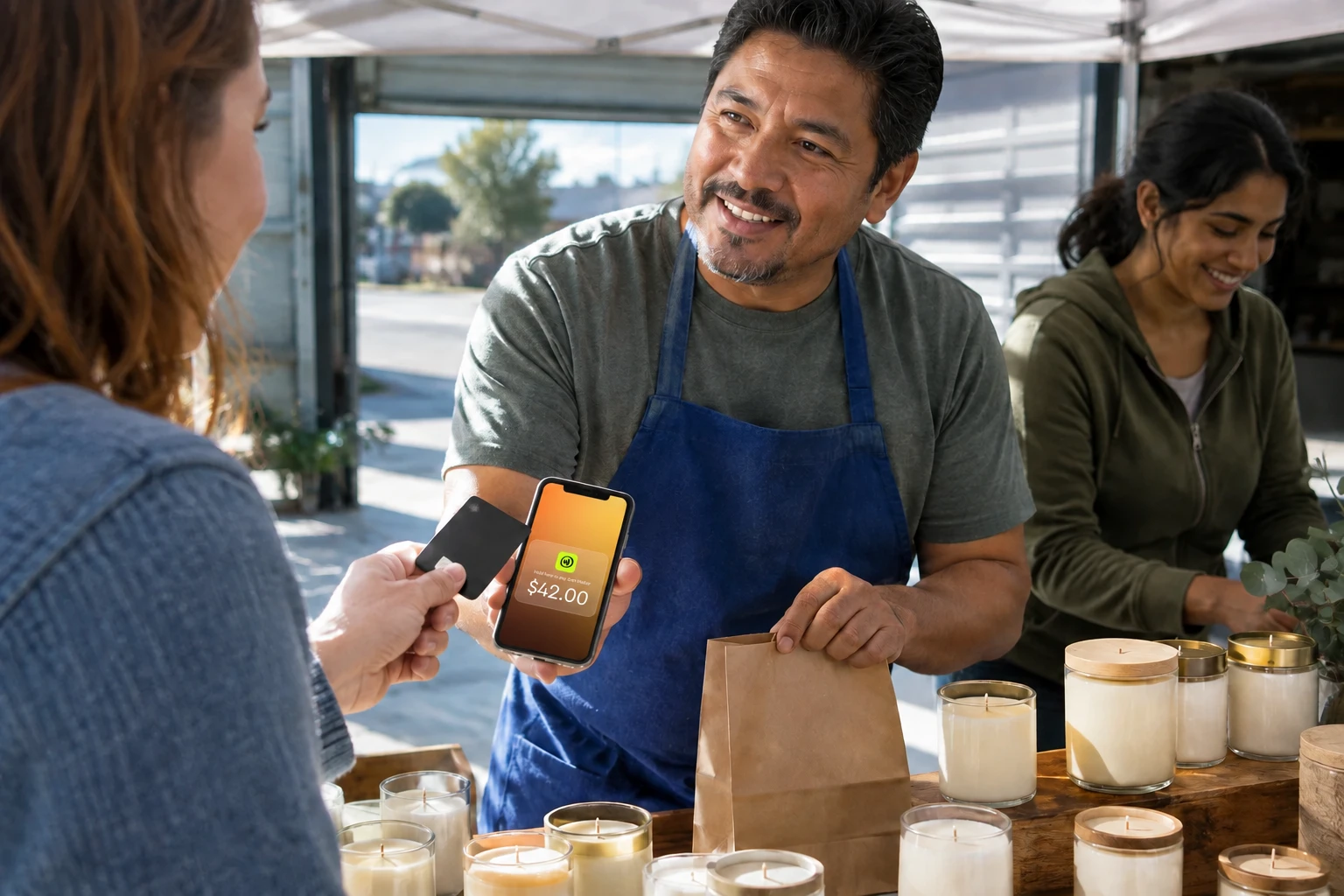
No hardware purchase, no extra devices to charge or maintain. Your iPhone or Android phone with NFC becomes the credit card reader using built-in technology. The flat 1.99% fee applies to every transaction with no per-transaction surcharge on top. Funds are available instantly on your JIM Visa Prepaid Card, which you can spend right away or move to a U.S. bank account via a separate same-day ACH transfer (a 1.99% + $0.99 fee applies to transfers). For mobile businesses and anyone wanting to accept credit card payments without a machine, it's worth considering.
Watch out for: Tap to Pay accepts contactless payments only, so customers with chip-insert or swipe-only cards need another option, and the JIM Card cannot withdraw cash at an ATM.
Square Reader
Square's free magstripe reader makes it easy to start accepting cards with zero upfront cost. The $59 contactless reader adds tap and chip capability. The ecosystem scales well with inventory management, invoicing, and mobile POS features. Settlement takes one to three business days.
Watch out for: Square is known to place holds or freeze accounts when transaction patterns look unusual, which can tie up funds without warning.
Clover Go
Clover Go works with multiple payment processors, giving flexibility if you have an existing merchant account you want to keep. The reader requires Bluetooth pairing with the Clover app. At $49 upfront with competitive per-transaction fees, it suits businesses wanting hardware portability with processor choice.
Watch out for: Advanced features require a paid plan ($14.95 per month or more), and the Clover app ecosystem is less intuitive than Square's for first-time users.
PayPal Zettle
PayPal Zettle offers one of the lower in-person rates at 2.29% + $0.09 per transaction. The first reader costs $29. If your customers already use PayPal or Venmo, the integration creates a familiar payment experience. The user-friendly touchscreen interface speeds up checkout. Some models include barcode scanning for retail operations and ecommerce inventory sync. Zettle also offers a credit card reader for Android that pairs via Bluetooth with the mobile app.
Watch out for: Dispute and chargeback handling runs through PayPal's resolution center, which merchants often report as slow and tilted toward the buyer.
SumUp Plus
SumUp Plus includes a small screen for customer confirmation and signature capture. The reader handles over 500 transactions per charge, making it practical for mobile businesses. At $54 with no monthly fees, it's a budget-friendly option for businesses wanting a standalone device without committing to a full terminal.
Watch out for: Customer support is mostly self-serve, and payout speed can lag behind competitors during verification holds.
Square Terminal
The Square Terminal combines reader, screen, and receipt printer into one countertop device. At $299 upfront, it's a notable investment, but there are no monthly fees. USB-C charging and Wi-Fi connectivity keep it running all day. The all-in-one functionality suits retail locations and service businesses wanting professional checkout without piecing together separate components.
Watch out for: The same account-hold risk that applies to Square Reader applies here, and the $299 cost takes time to recoup at low volume.
What to Look for in a Card Reader
The right reader depends on how you sell, where you sell, and how much you sell. Before committing to any solution, evaluate these factors against your specific business operations.
- Payment types accepted: At minimum, look for chip and contactless capability. Support for digital wallets like Apple Pay and Google Pay is increasingly expected. Magstripe-only readers limit you as fewer customers carry debit cards or credit cards without chips.
- Processing fees: Flat-rate pricing simplifies budgeting. Interchange-plus models can save money at higher volumes but add complexity. Watch for per-transaction fees that erode margins on smaller sales.
- Settlement speed: Standard settlement takes one to three business days. Instant or real-time settlement options exist and improve cash flow substantially for businesses with tight margins or high inventory turnover.
- Hardware costs: Free readers often come with higher processing fees. Balance the upfront savings against what you'll pay per transaction over time. A $59 reader that saves 0.5% per transaction pays for itself quickly at moderate volume.
- Connectivity: Wi-Fi and Bluetooth work for most fixed locations. Mobile businesses benefit from cellular connectivity or phone-based solutions that don't depend on local networks.
- POS integration: If you already use point of sale software for inventory management or customer tracking, confirm the reader integrates smoothly. Switching systems mid-stream creates headaches.
- Security: PCI DSS compliance is non-negotiable. Reputable providers with responsive customer support handle this automatically, but verify before signing up. EMV chip technology and NFC tokenization protect both you and your customers.
- Dispute and chargeback handling: Compare each processor's chargeback fee and reputation for holds. Some providers freeze accounts or side with buyers during disputes, which can disrupt cash flow. Read the dispute policy before you sign up.
How long does it take to set up a card reader?
Most modern readers are ready in minutes. JIM and Square let you download the app, complete identity verification, and take a first payment the same day, often within 10 minutes. Clover Go and PayPal Zettle require Bluetooth pairing and app setup, adding a few minutes. Smart terminals like the Square Terminal need Wi-Fi configuration and account activation, so expect 15 to 30 minutes from unboxing to first sale.
Can small businesses pass credit card fees to customers?
Surcharging is legal at the federal level, but several states prohibit it. As of 2026, Connecticut, Massachusetts, and Maine, plus Puerto Rico, ban merchants from adding a surcharge to credit card transactions. Source: NCSL, Credit or Debit Card Surcharges Statutes. Kansas repealed its surcharge ban effective January 1, 2025, so surcharging is now permitted there within card-network limits. Where permitted, surcharges are typically capped at 4% or the actual processing cost, whichever is lower, and you must clearly disclose the surcharge before purchase. Card networks like Visa also publish their own surcharge rules that merchants must follow. Many businesses find that absorbing fees and pricing accordingly creates a better customer experience.
For a deeper look at comparing providers, see our guide to best credit card processing for small business. It covers effective rates, deposit speed, and hidden fees across more processors than this comparison.
How to Choose the Right Card Reader
The right credit card reader balances hardware costs, processing fees, and settlement speed for your specific business needs. Whether you choose a traditional terminal or a phone-based solution, the goal is simple: make checkout easy for customers while protecting your margins.
If you process under $50,000 per month in card sales, a flat-rate solution with no monthly fee usually wins on total cost. JIM turns your phone into a payment terminal with a flat 1.99% fee and instant access to your funds, with no hardware to buy and no monthly fees. For mobile businesses and anyone who values simplicity, it removes the friction from accepting card payments. Above $50,000 per month, an interchange-plus plan from a provider like Helcim can deliver a lower effective rate, so compare your actual statements before deciding.
Ready to see how much you could save on every transaction? Explore JIM's Tap to Pay and start accepting cards in minutes.
Frequently Asked Questions
What is the best small business card reader?
What is the cheapest way to take card payments?
Which card reader has no monthly fee?
Is it illegal to charge a 3% credit card fee to customers?
What is the best way to accept credit cards for a small business?



Sell and get paid in seconds with Jim






